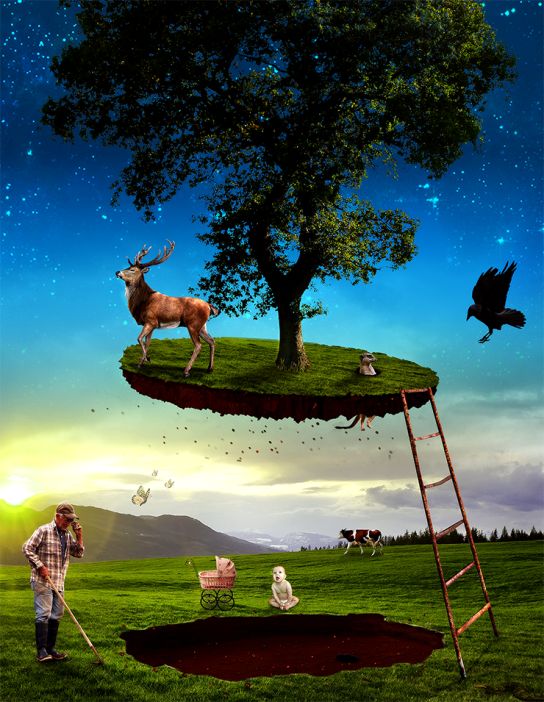
In this tutorial we will create an eerie floating island photo manipulation by using your vast imagination and the mighty power of Photoshop. I will introduce you to some simple editing techniques, smart objects and adjustment layers. Let’s begin! What you’ll be creating This is a classic floating island scene with a touch of funny… Continue reading How to Create This Eerie Floating Island Photo Manipulation in Photoshop
Tag: Multiple
Multi-Level Menu : A simple menu with multiple levels

This is a simple multi-level menu with delayed item animations and an optional breadcrumb navigation and back button. The idea is to animate each menu item once a level is changed. The animation starts with the item clicked and the delays are propagated through the neighbors. The animation delays follow the same logic for the… Continue reading Multi-Level Menu : A simple menu with multiple levels
CMS Commander Lets you Manage Multiple WordPress Sites from One Central Location

If you are an agency or individual who manages multiple WordPress websites it can start to become a real pain as the amount grows, you have to upgrade core WordPress every time a new version is released, you have to update plugins as newer versions are released and you have to keep a record of… Continue reading CMS Commander Lets you Manage Multiple WordPress Sites from One Central Location
Midnight.js – A jQuery plugin that switches between multiple header designs as you scroll

A jQuery plugin that switches between multiple header designs as you scroll, so you always have a header that looks great with the content below it. To make everything work, just load midnight (and jQuery) and initialize it. Want to use custom markup for each header? You just need to add a div with the… Continue reading Midnight.js – A jQuery plugin that switches between multiple header designs as you scroll
Create a Shortcode to List Posts With Multiple Parameters
How to Create Multiple Frames with One Image in Adobe InDesign

It is possible to create cool image effects not only in Photoshop and Illustrator but also in InDesign. In this tutorial we will learn how to place one image into several randomly placed frames. We will use Effects, Object Styles, special Paste features and learn some very useful techniques on the way. Let’s get started!