Artificial intelligence has changed the way people create logos. A few years ago, designing a business logo usually meant hiring a designer or spending hours learning graphic design software. Today, AI logo design tools can generate dozens of logo ideas within seconds, making the process much faster for startups, freelancers, and small businesses.
The best AI logo generators are not meant to replace professional designers. Instead, they help speed up brainstorming, create initial concepts, and provide a solid starting point for building a unique brand identity. Many of these tools also include brand kits, social media assets, color palettes, business card designs, and editable logo files.
If you’re searching for the best AI logo maker, this guide compares the top AI logo design tools available in 2026. You’ll learn how each platform works, its strengths and weaknesses, pricing, and which one is best for your design needs.
What Are AI Logo Design Tools?
AI logo design tools use machine learning to generate logo concepts based on a few details you provide. Most platforms ask for your business name, industry, preferred colors, design style, and sometimes a short description of your brand.
Instead of creating logos completely from scratch, these AI systems analyze thousands of existing logo designs to understand common layouts, typography styles, icon combinations, and color trends. They then combine those patterns to create original logo suggestions.
The quality of the final logo depends heavily on the information you provide. A simple prompt like “coffee shop” usually produces generic results, while a detailed description such as “modern specialty coffee brand with Scandinavian minimalism and earthy colors” gives the AI much better direction.
Although AI logo makers are becoming smarter every year, they still work best as idea generators. Designers often take the generated logo into software like Adobe Illustrator or Figma to fine-tune spacing, typography, icons, and proportions before using it commercially.
Why Use an AI Logo Maker?
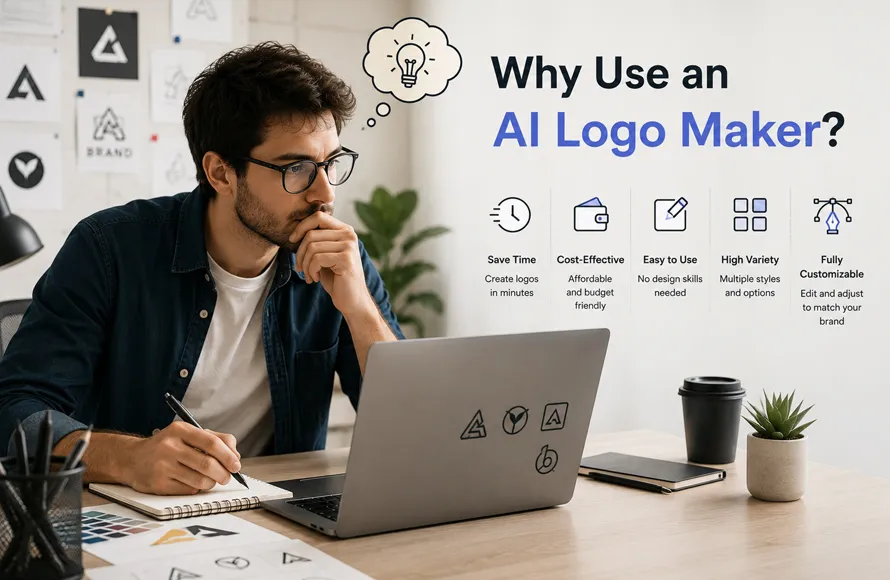
AI logo generators have become popular because they solve a common problem, creating a professional-looking logo without spending days designing it.
Some of the biggest advantages include:
- Fast logo generation in less than a minute
- Affordable compared to hiring a designer
- Hundreds of design variations
- Easy customization
- Brand identity kits
- Social media graphics
- Business card templates
- High-resolution logo exports
- SVG and vector files (on most paid plans)
For startups, bloggers, YouTubers, online stores, and freelancers, AI logo makers offer a practical way to test ideas before investing in custom branding.
1. Looka
Looka continues to be one of the most popular AI logo design tools available today. It combines logo generation with complete branding features, making it a strong choice for entrepreneurs launching a new business.
After entering your business name, industry, slogan, and style preferences, Looka creates multiple logo concepts within seconds. The interface is simple, making it suitable even for users with no design experience.
During testing, Looka consistently produced clean typography, balanced layouts, and professional color combinations. While some icons felt familiar after generating many versions, the overall quality remained impressive.
One of Looka’s biggest strengths is its Brand Kit. Instead of downloading only a logo, users can generate matching social media graphics, business cards, email signatures, invoices, presentation templates, and marketing materials that follow the same visual identity.
Best For
- Small businesses
- Freelancers
- Personal brands
- New startups
Pros
- Excellent logo quality
- Complete branding package
- Easy customization
- Modern interface
- High-quality vector exports
Cons
- Free downloads are limited
- Premium files require payment
- Icon choices can sometimes repeat
Pricing
Free preview available. Paid packages unlock SVG, EPS, PDF, transparent PNG, and full brand assets.
2. Brandmark
Brandmark focuses on creating modern, minimal, and icon-driven logo designs. Unlike many competitors that rely heavily on templates, Brandmark often produces cleaner layouts with stronger typography.
Users simply enter a business name, short description, and preferred colors. Within moments, Brandmark generates dozens of logo concepts along with real-world mockups showing how the design appears on websites, storefronts, packaging, and business cards.
After testing several industries, Brandmark generally created stronger icon concepts than many other AI logo makers. The typography was also well balanced, although some generated logos still needed manual adjustments before becoming production-ready.
Brandmark is particularly useful for technology companies, digital agencies, SaaS products, and startups looking for simple visual identities.
Best For
- Tech startups
- Digital agencies
- SaaS companies
- Minimal branding
Pros
- Excellent icon generation
- Modern typography
- Beautiful presentation mockups
- One-time purchase option
- Fast logo creation
Cons
- Limited editing features
- Premium downloads require payment
Pricing
Free preview with one-time payment options available for logo packages.
3. Adobe Firefly
Unlike dedicated AI logo generators, Adobe Firefly is a creative AI platform that generates images from text prompts. Although it wasn’t built specifically for logos, many designers now use Firefly as a brainstorming tool before refining concepts inside Adobe Illustrator.
This workflow offers much more creative freedom than template-based logo makers.
Instead of selecting from predefined layouts, users can describe exactly what they want, such as:
“Minimal geometric mountain logo using blue gradients and bold sans-serif typography.”
Firefly generates multiple creative directions that can then be converted into clean vector artwork.
During testing, Firefly produced some of the most original ideas in this comparison. However, because it creates raster artwork rather than finished vector logos, professional editing is usually required before commercial use.
For experienced designers already working in Adobe Creative Cloud, Firefly offers one of the most flexible AI-assisted design workflows available today.
Best For
- Professional designers
- Adobe Creative Cloud users
- Creative brainstorming
- Custom logo concepts
Pros
- Highly creative AI generation
- Excellent prompt understanding
- Integrates with Illustrator and Photoshop
- Flexible editing workflow
- Commercial-friendly ecosystem
Cons
- Not specifically designed for logos
- Requires design knowledge
- Additional editing is usually necessary
Pricing
Free limited generation credits. Premium plans are included with Adobe Creative Cloud subscriptions.
Which Tool Is Best So Far?
| Tool | Best For | Free Version | Overall Rating |
|---|---|---|---|
| Looka | Complete branding | Preview only | ***** |
| Brandmark | Minimal logo design | Preview only | **** |
| Adobe Firefly | Creative professionals | Limited | ***** |
4. Canva AI Logo Maker
Canva has become one of the easiest platforms for beginners who want to create logos without learning professional design software. Since millions of people already use Canva for presentations, social media posts, and marketing graphics, its AI logo maker feels familiar from the first click.
After entering your business name and a few keywords, Canva generates several logo ideas that can be edited using its drag-and-drop editor. Unlike many AI logo generators, Canva lets you adjust almost every part of the design, including fonts, icons, spacing, colors, backgrounds, and layouts.
During testing, Canva produced clean, modern logos for small businesses, blogs, restaurants, and online stores. The designs are generally simple rather than highly creative, but the editing flexibility makes up for it.
One of Canva’s biggest advantages is that your logo immediately becomes part of your Canva workspace. You can reuse it in social media posts, flyers, YouTube thumbnails, business cards, and presentations without exporting and importing files repeatedly.
Best For
- Beginners
- Bloggers
- Small businesses
- Social media creators
Pros
- Very easy to use
- Large library of fonts and icons
- Excellent editing tools
- Works across web and mobile
- Integrates with other Canva projects
Cons
- Premium elements require Canva Pro
- Some AI-generated logos can feel template-based
Pricing
Free plan available. Canva Pro unlocks premium graphics, fonts, Brand Kit, and high-resolution exports.
5. Tailor Brands
Tailor Brands offers much more than logo creation. It combines AI logo generation with website building, business registration, domain management, and marketing tools, making it an all-in-one platform for launching a new business.
The logo creation process begins with a short questionnaire about your company, industry, preferred style, and design direction. The AI then generates several professional logo concepts that can be customized before downloading.
In testing, Tailor Brands consistently produced clean, corporate-style logos. While the designs are less experimental than Adobe Firefly or Brandmark, they work well for consulting firms, legal services, financial companies, and local businesses.
If your goal is building an entire business identity rather than downloading a single logo, Tailor Brands offers one of the most complete ecosystems available.
Best For
- New businesses
- Consultants
- Local companies
- Entrepreneurs
Pros
- Complete business platform
- Professional logo designs
- Easy editing
- Website builder included
- Brand identity tools
Cons
- Subscription-based pricing
- More features than casual users may need
Pricing
Free preview. Paid plans include logo files, branding assets, websites, and business tools.
6. Designs AI Logomaker
Designs AI is a complete AI creative suite that includes logo creation, video generation, voiceovers, presentations, and marketing content. Its Logomaker focuses on generating many logo variations quickly.
Users enter a business name, industry, preferred colors, and design style before the AI produces multiple concepts within seconds.
One thing that stood out during testing was the number of logo variations generated from a single prompt. This makes Designs AI useful when you’re still exploring different branding directions rather than looking for one perfect design immediately.
Although some concepts require manual refinement, the platform provides enough variety to spark ideas for almost any industry.
Best For
- Creative agencies
- Marketing teams
- Entrepreneurs
- Fast brainstorming
Pros
- Generates many variations
- Quick processing
- Modern interface
- Part of a larger AI design suite
- Good typography selection
Cons
- Limited free downloads
- Premium plans required for commercial assets
Pricing
Limited free version. Subscription unlocks the full creative suite.
7. Microsoft Designer
Microsoft Designer has quickly become a useful AI-powered design assistant. While it isn’t dedicated solely to logo creation, it works surprisingly well for generating creative logo concepts from natural language prompts.
Instead of choosing templates, users simply describe the style they want.
“Luxury jewelry logo using elegant serif typography with gold geometric shapes.”
The AI generates several visual concepts that can later be refined inside Illustrator, Figma, or another vector editor.
Testing showed that Microsoft Designer performs best during the brainstorming stage rather than producing final production-ready logos. Designers looking for inspiration will appreciate the creative variety.
Best For
- Brainstorming
- Creative concepts
- Designers
- Marketing teams
Pros
- Free to use
- Excellent AI prompt understanding
- Creative image generation
- Modern interface
- Microsoft ecosystem integration
Cons
- Not a dedicated logo maker
- Vector editing still required
Pricing
Free with Microsoft account. Premium AI features are available through Microsoft subscriptions.
8. Hatchful by Shopify
Hatchful remains one of the best completely free logo makers for online businesses. Designed by Shopify, it helps store owners create simple logos without hiring a designer.
The process is straightforward. Choose your industry, select a visual style, enter your business name, and the platform automatically generates multiple logo options.
Although Hatchful relies more on smart templates than advanced AI, it still saves considerable time and delivers clean results for ecommerce brands.
The platform also exports logos in multiple sizes optimized for websites, Instagram, Facebook, YouTube, and online stores.
Best For
- Shopify stores
- Ecommerce brands
- Small businesses
- Beginners
Pros
- Completely free
- Fast logo generation
- Social media logo packages
- Beginner-friendly interface
- No design experience required
Cons
- Limited customization
- Less creative than premium AI tools
Pricing
Free.
9. Zarla Logo Maker
Zarla focuses on simplicity and speed. Within seconds of entering your business name and industry, the platform generates dozens of logo concepts using different fonts, layouts, and icons.
One feature that impressed during testing was the ability to swap individual design elements independently. Instead of regenerating the entire logo, users can replace only the icon, font, or color palette while keeping everything else unchanged.
This flexibility helps beginners understand how typography and icon choices affect branding without starting over each time.
Best For
- Freelancers
- Local businesses
- Fast logo creation
- Beginners
Pros
- Extremely simple workflow
- Quick editing
- Large icon collection
- Easy font customization
- Fast exports
Cons
- High-resolution files require payment
- Limited advanced editing
Pricing
Free web downloads. Premium vector exports are available.
10. Renderforest Logo Maker
Renderforest began as an animation platform but has grown into a complete branding solution. Its AI logo maker combines logo generation with animated intros, promotional videos, websites, and marketing assets.
After answering a few questions about your business, Renderforest generates logo concepts along with matching color palettes and branding suggestions.
A unique advantage is its ability to animate your finished logo. Businesses creating YouTube channels, promotional videos, or product intros can quickly generate professional logo animations without additional software.
During testing, logo quality was consistent, although the free version includes watermarks and lower-resolution downloads.
Best For
- YouTubers
- Video creators
- Content creators
- Startups
Pros
- Logo animation
- Brand identity tools
- Website builder
- Good AI suggestions
- Marketing assets included
Cons
- Watermarks on free downloads
- Premium exports require subscription
Pricing
Free preview. Paid plans unlock HD files, vector logos, and animations.
AI Logo Design Tools Comparison
| Tool | Best For | Free Plan | Vector Files | Brand Kit | Overall |
|---|---|---|---|---|---|
| Looka | Complete branding | Preview | Yes | Yes | ***** |
| Brandmark | Minimal branding | Preview | Yes | Limited | **** |
| Adobe Firefly | Creative professionals | Limited | Via Illustrator | No | ***** |
| Canva AI Logo Maker | Beginners | Yes | Yes | Yes | **** |
| Tailor Brands | Business startups | Trial | Yes | Yes | **** |
| Designs AI | Fast logo concepts | Limited | Yes | Limited | **** |
| Microsoft Designer | Brainstorming | Yes | Manual editing | No | **** |
| Hatchful | Ecommerce | Yes | Limited | Basic | **** |
| Zarla | Quick logo creation | Low-resolution | Yes | No | **** |
| Renderforest | Video branding | Watermarked | Yes | Yes | **** |
Which AI Logo Maker Should You Choose?
- Best Overall: Looka
- Best for Beginners: Canva AI Logo Maker
- Best Free AI Logo Maker: Hatchful by Shopify
- Best for Professional Designers: Adobe Firefly
- Best for Startups: Brandmark
- Best for Ecommerce: Hatchful
- Best for Video Branding: Renderforest
- Best for Fast Brainstorming: Microsoft Designer
- Best Value: Zarla
How to Choose the Best AI Logo Maker
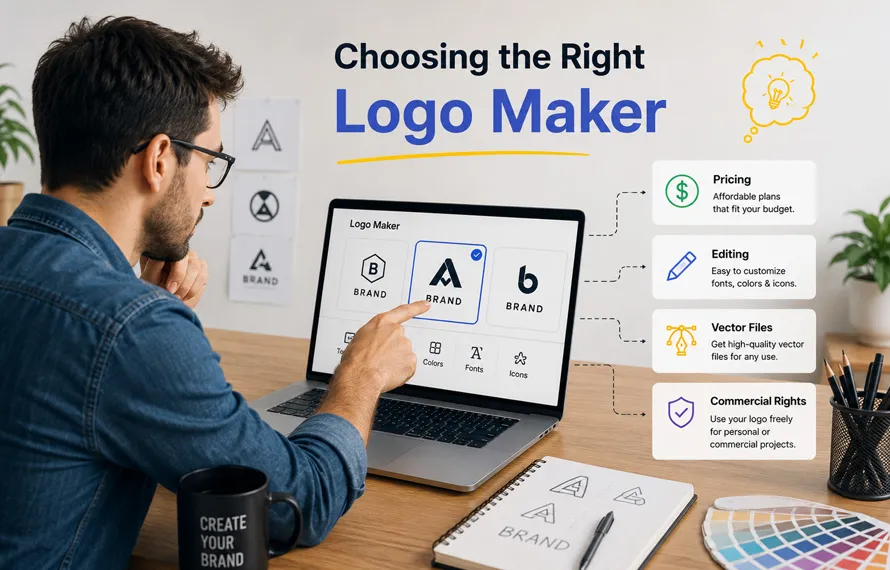
With so many AI logo design tools available, choosing the right one can feel overwhelming. The best option depends on your experience, budget, and how much control you want over the final design.
Before selecting a platform, think about how you plan to use your logo. A local restaurant, YouTube channel, SaaS startup, and fashion brand all have different branding needs. Some tools are better for quick logo generation, while others provide complete brand identity packages.
Here are a few factors worth considering before making a decision.
1. Editing Flexibility
A logo rarely looks perfect on the first try. Choose a platform that allows you to edit fonts, colors, icons, spacing, and layouts without starting over.
Canva, Looka, and Brandmark provide more customization than many basic AI logo makers.
2. Vector File Support
Always check whether the platform provides vector formats such as SVG, EPS, or PDF.
Vector logos can be resized without losing quality, making them suitable for websites, business cards, packaging, billboards, merchandise, and signage.
PNG files work well for websites and social media, but every business should also keep a vector version of its logo.
3. Commercial Usage Rights
If you plan to use your logo for a business, verify that your download includes commercial usage rights.
Most paid plans include these rights, while some free downloads have limitations.
Always read the licensing terms before using an AI-generated logo for branding.
4. Branding Features
Some platforms offer much more than logo creation.
Additional features may include:
- Brand style guides
- Business cards
- Social media templates
- Email signatures
- Presentation designs
- Website assets
- Color palettes
- Font recommendations
If you’re launching a new company, these extras can save both time and money.
5. Pricing
Free AI logo makers are useful for testing ideas, but premium plans usually unlock:
- High-resolution PNG
- Transparent backgrounds
- SVG files
- EPS files
- Editable logos
- Complete brand kits
Consider the long-term value rather than choosing the cheapest option.
AI Logo Maker vs Professional Logo Designer
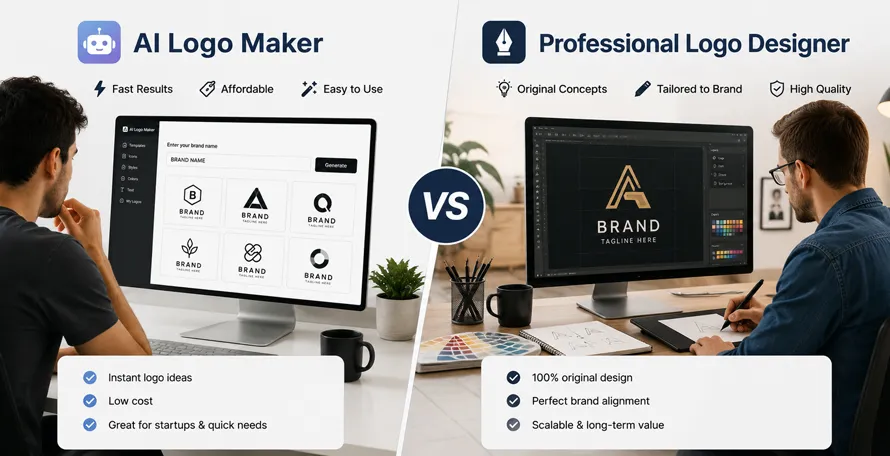
One of the biggest questions people ask is whether AI can replace professional logo designers.
The short answer is no.
AI is excellent at generating ideas quickly, but successful branding involves much more than creating an attractive symbol.
Professional designers research competitors, understand customer psychology, study typography, explore color theory, and build visual systems that remain effective for years.
AI focuses on patterns.
Designers focus on strategy.
The strongest brands usually combine both approaches.
A designer might use AI to generate early concepts, then refine those ideas manually until they become unique and memorable.
Instead of replacing designers, AI has become another creative tool in the design process.
Tips for Creating Better AI Logos
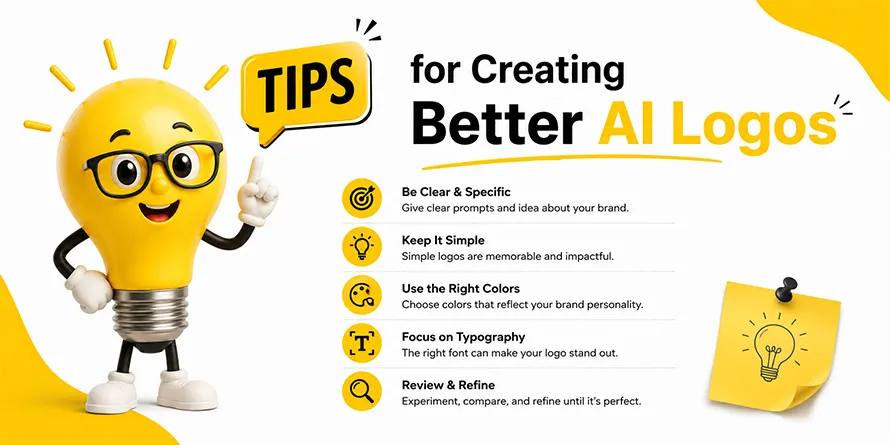
The quality of an AI-generated logo depends heavily on the prompt and the editing that follows.
Here are a few practical tips that consistently improve results.
Be Specific
Avoid prompts like:
Restaurant logo
Instead write something like:
Modern Japanese restaurant logo using minimal black typography with a red circular symbol inspired by traditional ink art.
The more context you provide, the better the AI understands your vision.
Generate Multiple Versions
Never stop after the first logo.
Create 20–50 variations.
Often the strongest concept appears after several generations.
Edit the Final Design
Almost every AI-generated logo benefits from manual adjustments.
Refine:
- Typography
- Letter spacing
- Alignment
- Icon proportions
- Color palette
- White space
Small improvements make a big difference.
Keep It Simple
The best logos are usually the simplest.
Avoid adding too many gradients, effects, or decorative elements.
A clean logo works better across websites, packaging, merchandise, and mobile devices.
Test at Different Sizes
A good logo should remain recognizable whether it’s displayed on:
- Website headers
- Social media profiles
- Mobile apps
- Business cards
- Product packaging
- Outdoor signage
If important details disappear at small sizes, simplify the design.
Common Mistakes to Avoid
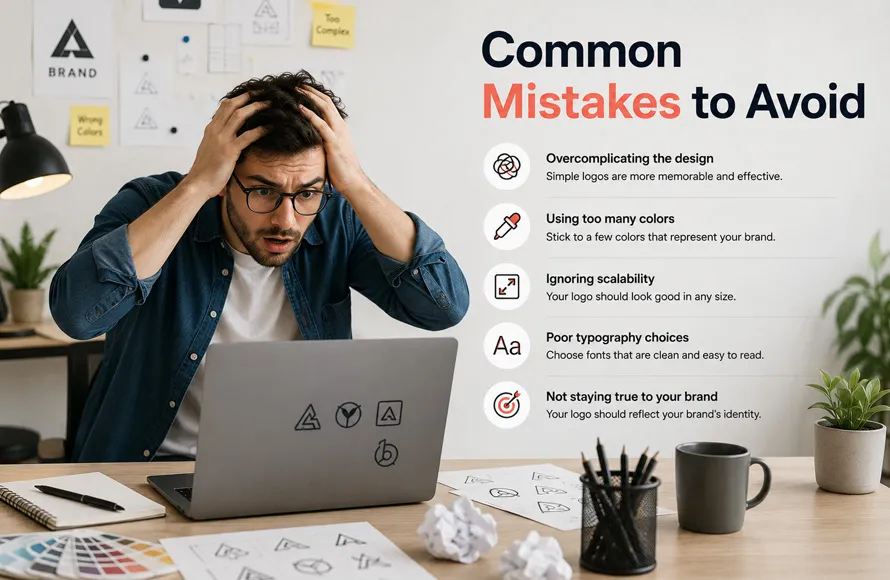
Many beginners rely too heavily on AI and forget that branding is about communication, not just appearance.
Avoid these common mistakes.
Choosing the First Logo
Generate several concepts before making a decision.
The first result is rarely the strongest.
Ignoring Typography
Typography often communicates more about a brand than the icon itself.
Choose fonts that match your audience and industry.
Copying Trends
Trendy logos can become outdated quickly.
Aim for timeless designs instead of following every new style.
Using Low-Resolution Files
Always download high-quality files for professional use.
A blurry logo looks unprofessional on printed materials.
Skipping Trademark Research
Before using any logo commercially, check whether similar logos already exist in your industry.
Even if AI creates the artwork, businesses remain responsible for avoiding trademark conflicts.
How AI Is Changing Logo Design
Artificial intelligence is changing how designers begin creative projects.
Instead of spending hours sketching rough ideas, many designers now generate dozens of AI concepts in just a few minutes.
This doesn’t eliminate creativity.
It simply shifts more time toward refining ideas rather than creating rough drafts.
Many professional studios already use AI during brainstorming because it speeds up the early stages of the design process.
The final logo, however, still benefits from human judgment.
Choosing the right typography, balancing proportions, improving spacing, and ensuring the logo reflects a company’s personality remain tasks where experienced designers outperform AI.
Expert Opinion
After comparing all ten tools, one thing becomes clear.
Every AI logo maker has strengths, but none consistently produces a perfect, ready-to-use logo without some level of editing.
During practical testing, the best results came from using AI for concept generation and then refining the chosen design manually in software such as Adobe Illustrator or Figma.
This hybrid workflow saves time while still producing logos that feel original rather than generic.
Businesses looking for a long-lasting visual identity should treat AI as a creative assistant, not the final designer.
Featured Snippet: Which AI Logo Maker Is Best?
If you need a quick recommendation:
- Best Overall: Looka
- Best Free AI Logo Maker: Hatchful by Shopify
- Best for Beginners: Canva AI Logo Maker
- Best for Designers: Adobe Firefly
- Best for Branding: Brandmark
- Best Business Platform: Tailor Brands
- Best for Video Creators: Renderforest
- Best for Fast Concepts: Designs AI
- Best Budget Choice: Zarla
- Best AI Brainstorming Tool: Microsoft Designer
These recommendations balance ease of use, customization, branding features, export options, and overall value.
The Future of AI Logo Design in 2027
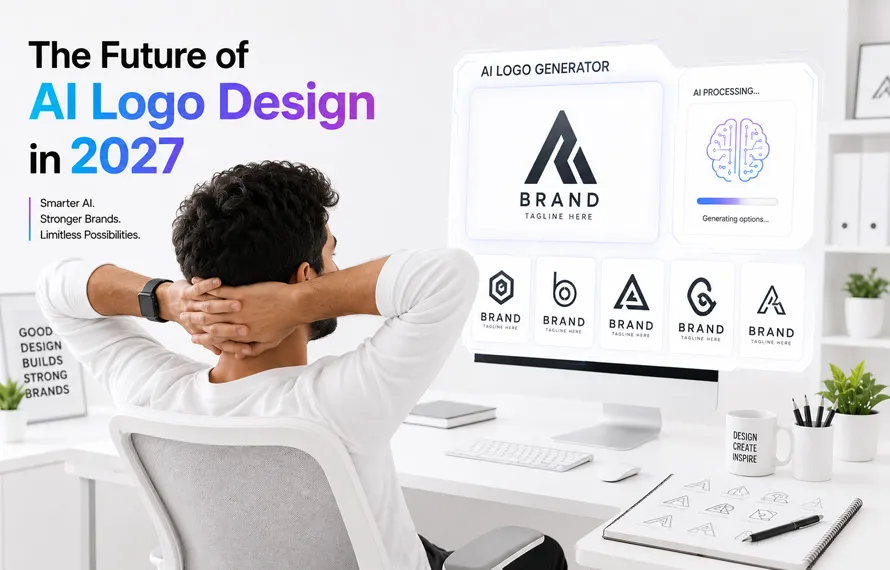
AI logo makers are improving every year, and the next generation of tools will likely focus less on creating random logo ideas and more on understanding complete brand identities. Instead of asking only for a business name and industry, future AI platforms may analyze your website, products, competitors, audience, and marketing goals before suggesting logo concepts.
Another major trend is the integration of AI with professional design software. Applications like Adobe Illustrator and Figma already include AI-powered features that speed up creative work, and this integration is expected to become even more advanced. Designers will be able to generate icons, refine typography, create color palettes, and build complete brand identity systems without leaving their design workspace.
AI is also expected to improve in areas like logo scalability, accessibility, multilingual branding, and responsive logo design. Businesses increasingly need logos that work across websites, mobile apps, smart devices, social media, print materials, and even AR or VR environments.
Despite these improvements, creativity, strategy, and human judgment will remain essential. AI can suggest ideas quickly, but it cannot fully understand a company’s story, personality, or long-term vision the way an experienced designer can.
The future belongs to designers who know how to combine AI efficiency with creative thinking.
Frequently Asked Questions
Are AI logo makers really free?
Many AI logo generators allow you to create and preview logos for free. However, downloading high-resolution files, vector formats (SVG or EPS), transparent PNGs, or complete brand kits usually requires a paid plan.
Which AI logo maker is best in 2026?
There isn’t a single tool that’s perfect for everyone.
- Looka is the best overall choice for branding.
- Canva is ideal for beginners.
- Adobe Firefly offers the most creative flexibility.
- Hatchful is one of the best completely free options.
The right choice depends on your budget and branding goals.
Can AI create professional logos?
Yes. Modern AI logo makers can generate clean and professional-looking logos suitable for startups, blogs, online stores, and small businesses. However, many businesses still refine AI-generated concepts manually to create a stronger and more distinctive brand identity.
Can I trademark an AI-generated logo?
In many countries, trademark eligibility depends on whether the logo is unique and functions as a distinctive business identifier. Before registering an AI-generated logo, it’s important to check for similar existing trademarks and review local intellectual property laws.
Which file format should I download?
For professional branding, download both:
- SVG or EPS for printing and scaling
- Transparent PNG for websites and social media
Keeping both formats ensures your logo works across digital and print applications.
Are AI logos unique?
Most AI logo makers generate original combinations of icons, typography, and layouts, but similarities can occur because many tools learn from existing design trends. It’s always a good idea to customize the final logo before using it commercially.
Can AI replace professional logo designers?
Not completely.
AI is excellent for generating ideas and speeding up the design process, but professional designers add strategy, creativity, research, typography expertise, and brand storytelling that AI cannot fully replicate.
What should I look for in an AI logo maker?
Consider these features before choosing a platform:
- High-quality logo generation
- Easy customization
- SVG and vector downloads
- Commercial usage rights
- Brand kit
- Affordable pricing
- Strong typography and icon library
- Responsive customer support
Final Thoughts
AI logo design tools have become valuable resources for entrepreneurs, freelancers, designers, and small businesses looking to create professional branding more efficiently. They reduce the time needed to explore ideas and make logo design accessible to people without advanced graphic design skills.
Each platform reviewed in this guide offers something different. Looka stands out for complete brand identity packages, Canva remains one of the easiest tools for beginners, Adobe Firefly provides unmatched creative flexibility, and Hatchful continues to be an excellent free option for new businesses.
The most effective workflow is to use AI as a starting point rather than the final destination. Generate multiple concepts, compare different platforms, refine typography, adjust spacing, improve color choices, and export your logo in professional formats like SVG and EPS. These extra steps help transform a good AI-generated concept into a memorable brand identity.
As AI technology continues to evolve, designers who combine automation with creativity will have the greatest advantage. Instead of competing with artificial intelligence, learning how to work alongside it will become one of the most valuable skills in modern logo design.
Key Takeaways
- AI logo makers dramatically reduce the time needed to create logo concepts.
- Looka is the best all-around AI logo maker for branding.
- Canva is ideal for beginners and small businesses.
- Adobe Firefly offers the greatest creative flexibility.
- Hatchful remains one of the strongest free logo makers.
- Always edit AI-generated logos before using them commercially.
- Download vector files (SVG or EPS) whenever possible.
- AI works best as a creative assistant, not a replacement for professional design expertise.
(Visited 13 times, 13 visits today)