Key takeaways
🧪 Product validation confirms whether your idea solves a real problem for real users before you invest time and money building it
⚙️ It replaces assumptions through prototyping, interviews, surveys, and A/B tests
💪 Strong validation leads to better adoption, retention, and long-term success
🔎 The process involves defining hypotheses, mapping assumptions, selecting metrics, testing with real users, analyzing data, and iterating
🐝 UXtweak streamlines the entire validation process, from recruiting participants to running usability tests, at an affordable cost
Product validation testing is your reality check before you go all in on an idea.
It’s how you find out if what you’re building actually solves a problem people care about, or if it’s just another shiny feature no one asked for.
Instead of guessing what users want, validation lets you see it through their reactions, feedback, and choices.
It’s the difference between building in the dark and turning the lights on before you start.
In this guide, we’ll break down nine steps to build products with real product–market fit, so every feature, flow, and pixel you design has proof behind it.
What is product validation?

Product validation is the process of confirming that your product idea actually solves a real problem for real users before you spend time and money building it.
It’s about answering one crucial question: “Do people truly want this?”
At its core, product validation ensures that you’re solving the right problem for the right audience. It helps you confirm three key things:
- There’s a genuine need for what you’re building.
- Users are willing to pay (or take meaningful action) for it.
- Your solution actually delivers value in the context of their daily lives.
Validation helps you ensure there’s a genuine market fit by testing assumptions early through prototypes, user interviews, landing pages, surveys, and usability tests.
Validation vs Verification
Product validation often gets confused with product verification, but they’re not the same.
- Validation asks, “Are we building the right product?”
- Verification asks, “Did we build the product right?”
Here are some major points of difference between the two:
|
Aspect |
Product validation |
Product verification |
|
Core question |
“Are we building the right product?” |
“Did we build the product right?” |
|
Focus |
Market fit, user needs, desirability |
Functionality, quality, and performance |
|
Timing |
Before and during development |
After development or during quality assurance |
|
Method |
Concept testing, user interviews, prototype testing, A/B tests |
Code reviews, quality assurance testing, bug fixing, performance testing |
|
Goals |
To ensure the idea solves a real problem and users want it |
To ensure the product meets specs and works as intended |
Validation happens before development, to confirm what to build.
Verification happens after, to confirm how it was built.
Both are important, but validation sets the direction and verification perfects the execution.
Importance of product validation
Product validation means testing your ideas, assumptions, and prototypes with real users to see if your solution actually solves a real problem.
Without it, even the most beautifully designed product can flop once it meets the market.
✅ Save time, effort, and resources
Every feature, flow, and design decision takes effort. Discovering after launch that users are lost, confused, or annoyed isn’t just frustrating; it’s expensive.
Product validation keeps that chaos in check. Run a small prototype test, and you’ll be surprised how quickly real users expose blind spots.
You will quickly come across buttons that blend into the background, steps that feel unnecessary, or missing cues that derail the experience.
✅ Reduce uncertainty and make informed decisions
Validation turns assumptions into answers. Instead of building on “we think,” you build on “we know.”
User interviews, surveys, usability tests, and A/B experiments show how people actually use your product, not how you expect them to.
✅ Improve adoption, retention, and long-term success
When your product solves a real problem and feels effortless to use, adoption follows naturally.
Validation helps you catch subtle pain points before they drive users away. And when you keep validating after launch, you make sure your product evolves with user needs, keeping it relevant, useful, and loved over time.
💡 Pro Tip
Read our Design Validation Guide: Plan, Process, Examples to learn more about the common pitfalls to avoid.
What is product validation testing?

Product validation testing is the process of checking whether a product actually solves the problems it’s meant to solve and meets the needs of real users in the real world.
It’s less about “does it work technically?” and more about “does it work for the user?”
Think of it as the difference between building a gadget that turns on (verification) and building a gadget that people actually find useful, intuitive, and want to keep using (validation).
The goal is to make sure that the product solves real problems before you fully launch it, saving time, money, and a lot of headaches down the line.
How to do product validation testing?
Product validation testing starts with understanding what you think your product should do and then putting that assumption to the test with real users.
📍Define hypotheses about a product
Jeff Gothelf aptly states,
Each design is a proposed business solution; a hypothesis. Your goal is to validate the proposed solution as efficiently as possible by using customer feedback.
Think of your product as a bundle of bets you’re making about your users and their problems. Validation testing is how you see which bets pay off. Start by writing down what you believe to be true:
👉 What problem are we really solving?
👉 Who exactly are we solving it for?
👉 Which features are absolutely critical for success?
These statements become your working hypotheses, the north stars for your validation efforts. When you put them in writing, you’re building a truth baseline to measure user behavior against.
📍Conduct assumption mapping
Assumption mapping helps you separate what you think you know from what you actually know.
It’s about spotting which beliefs could quietly sink your product if left untested.
You can start by categorizing your assumptions into three buckets:
- Knowns: Things you’re confident about.
📌 Example: “Our users are small business owners who manage their own marketing.”
- Unknowns: Areas where you need more evidence.
📌 Example: “We’re not sure how often users check analytics dashboards or which metrics matter most to them.”
- High-risk assumptions: The ones that could make or break your product.
📌 Example: “Users will trust AI-generated campaign suggestions enough to use them without manual edits.”
Once you’ve mapped everything, test the high-risk assumptions first. They’re the ones that, if wrong, could invalidate your whole idea.
You can visualize this on a 2×2 grid, with impact on one axis and certainty on the other, to quickly spot where to focus your testing efforts.
📍Choose validation metrics
Metrics turn gut feelings into evidence. They help you see whether your product actually works for users, not just looks good. Choose metrics that align with what you’re testing. Here are a few examples:
For usability testing:
- Task completion rate: How many users successfully finish a task?
- Time on task: How long does it take them?
- Error rate: How often do users make mistakes or backtrack?
For onboarding flows:
- Time to activation: How long until a user reaches the “aha” moment?
- Drop-off rate: Where do users abandon the process?
- User satisfaction (CSAT): How do they rate the experience post-onboarding?
For feature adoption:
- Feature usage frequency: How often is the new feature used after release?
- Retention over time: Do users keep returning to use it?
- NPS (Net Promoter Score): Are users likely to recommend the product?
For overall product validation:
- Engagement levels: How actively are users interacting with key areas?
- Conversion rate: Are users taking desired actions (sign-ups, purchases, upgrades)?
- Qualitative feedback: What do users say about what works or doesn’t?
Each metric tells a different part of the story.
Together, they reveal whether your product genuinely solves the problem you set out to fix, and how smoothly users experience that solution.
💡 Pro Tip
Learn more about the different types of usability testing metrics in this article.
📍Choose research methods for testing
Different questions call for different research methods.
Mixing qualitative and quantitative approaches gives you a complete picture of how your product fits into real user behavior.
Qualitative methods: Reveal the why.
- User interviews to explore motivations and pain points.
- Prototype walkthroughs or think-aloud sessions to spot usability issues early.
Quantitative methods: Validate the what.
- Surveys to gather large-scale feedback.
- A/B tests and analytics to confirm behavior patterns and performance.
Prototype testing bridges both, helping you observe real interactions before investing in full development.
Did you know?
We’ve looked at what UX researchers and product creators say about practical validation methods. On Reddit, one thread highlighted what worked best after testing multiple approaches:
- Supplier Reviews & Feedback: Checking real customer reviews helped filter out low-quality options early.
- Landing Page Tests: Running a simple landing page with ads showed which products had real demand without building anything upfront.
- Niche Forums & Social Proof: Exploring forums and social media communities gave insights into interest and engagement.
These approaches mirror UX research principles: start small, observe real behavior, and gather evidence before making big investments.
📍Recruit participants from the target audience
Your research is only as good as the people you test with. Recruit participants who accurately represent your target audience.
Ways to find the right participants:
- Tap existing customer lists or email subscribers.
- Reach out via social channels where your audience hangs out.
- Engage online communities like forums, Discord, or Slack groups.
- Use dedicated research panels such as UXtweak’s global User Panel.
- Apply screening questions to filter for relevant demographics and behaviors.
- Ensure diversity in age, experience, and usage patterns.
- Offer incentives to motivate thoughtful participation.
📍Conduct research studies
The key to research right now is being practical rather than being preachy. Be practical with your research team and what you can do.
This is exactly the mindset to carry into research: focus on doing meaningful, doable studies rather than overcomplicating the process.
Watch real users interact with your product or prototype, and resist the urge to explain or guide them. The goal is to see what happens when you’re not in the room.
Capture two kinds of data:
👉 Behavioral signals: clicks, navigation paths, completion rates, points of confusion. These show what users do.
👉 Qualitative cues: facial expressions, tone, hesitation, repeated actions, offhand comments. These reveal why they do it.
Sometimes, the most valuable insights come from the quiet moments, a pause before a click, a muttered “wait, what?”, or the smile when something just works.
Those reactions tell you where your product flows, and where it fights back.
📍Analyze results
Turn your findings into insights that guide real decisions. Look beyond the data to understand the story it’s telling.
- Patterns: Maybe 70% of users hesitate on the pricing page, a signal that the copy or layout might be unclear.
- Friction points: Users repeatedly click an inactive element, suggesting it looks clickable.
- Moments of delight: Testers smile or comment positively when a successful animation plays, hinting that small touches can boost satisfaction.
Use quantitative data to see how widespread an issue is, and qualitative notes to understand why it happens. Together, they reveal what to fix, what to keep, and what to double down on in your next iteration.
📍Adjust product development strategy
Take what you learned and let it guide your next moves:
- Simplify workflows: If users struggled with a three-step checkout, reduce it to two or combine actions.
- Remove friction: Fix buttons that look inactive or unclear icons that confuse navigation.
- Add essential features: If testing revealed users want a “save for later” option, consider adding it early.
- Rethink design elements: Maybe the color scheme or layout makes key information easy to miss, adjust accordingly.
Prioritize changes that have the biggest impact on solving your users’ core problems while keeping the product intuitive and usable. Every tweak should make the experience smoother, faster, and more satisfying.
📍Iterate
Test, analyze, refine, and repeat until your product consistently meets user needs and delivers value. Each iteration reduces risk, uncovers hidden problems early, and builds confidence that the product resonates with real users.
Treat every test as an experiment; success or failure, it informs smarter decisions.
Like Brad Nunnally rightly puts it,
The most important stage of any product design is testing and validation.
Product validation techniques

The right product validation method depends on what you’re testing and how far along your product is.
From quick surveys to full-fledged beta programs, each technique gives you a unique lens to understand whether your solution truly resonates with users.
Let’s break down some of the most effective techniques you can use.
Surveys
Surveys help you understand what your audience wants, thinks, and feels directly from the source.
You can use them to validate your problem statements, gauge demand for a feature, or measure satisfaction after using your product. The trick is to keep questions focused and unbiased.
📌 Example:
- On a scale of 1–5, how challenging is [problem your product solves] for you right now?
- How do you currently handle this problem?
- If you could wave a magic wand, what’s one thing you’d change about your current solution?
- How likely would you be to try a product that helps with [specific pain point]?
- What almost stopped you from signing up / using our product today?
- What’s one feature you wish our product had?
Simple, human questions like these invite honest answers, and honest answers are gold when you’re validating an idea.
Prototype usability testing
Before you spend weeks (and developer sanity) on code, get your design concepts in front of real users.
Prototype usability testing lets you observe how people actually interact with your mockups or clickable prototypes, where they hesitate, what they ignore, and what just clicks.
You can either import your existing Figma prototype or build one from scratch directly in UXtweak by uploading your design screens.
Then, set up realistic tasks like “Find the checkout button” or “Complete the signup flow.” UXtweak records how participants navigate, where they click, and where they get lost, giving you a full picture of what’s working and what isn’t.
Once testing begins, you can:
- Watch session replays with screen, face, and voice recordings to see not just what users do, but how they feel.
- View heatmaps and clickmaps to visualize where users focus and which areas cause confusion.
- Run follow-up surveys with skip logic to dig deeper into why users behaved a certain way.
- Filter and export your findings as videos, CSVs, or PDFs to share with your team or stakeholders.
The best part? You don’t need fancy setups or installations; everything runs right in the browser. 🍯

A/B testing
When your team can’t agree on a headline, layout, or call-to-action, A/B testing is your tie-breaker backed by data. You create two variations: Version A and Version B, and show each to a different slice of your audience.
The one that wins? That’s the version your users just voted for with their clicks, time, or wallets.
It’s one of the simplest ways to validate assumptions in a live setting. Whether you’re testing a pricing model, a landing page layout, or even a single button label, A/B testing helps you move from “we think” to “we know.”
💡 Pro Tip
Don’t change too many things at once. Test one variable, like copy or color, per experiment. That way, you’ll know exactly what made the difference instead of guessing again.
Session recordings
Numbers tell you what users do; but session recordings show you how they do it.
Watching real session replays reveals hidden usability issues, drop-off points, and moments of hesitation that metrics alone can’t explain.
📌 Example: You might notice users repeatedly hovering over a button that looks clickable but isn’t, or scrolling past a feature they’re supposed to engage with.
Such insights are pure gold for refining micro-interactions, redesigning flows, and polishing the overall experience.
💡 Pro Tip
Mute the sound and focus on mouse movement for one round; you’ll start noticing hesitation patterns and “wandering clicks” that indicate confusion, even when users aren’t visibly stuck.
Fake door testing
Fake door testing is basically your “what if” button, literally.
You put a CTA, banner, or feature in front of users that doesn’t exist yet and see how many bite. High clicks? That’s your green light. Crickets? You just saved your team a ton of development headaches.
It’s a smart shortcut to gauge real interest without building anything upfront.
💡 Pro Tip
Limit the test duration. Fake doors are powerful but risky if left up too long; users can lose trust if they keep encountering “ghost” features. A week or two of data is usually enough to validate interest.
Beta programs
Beta testing is your product’s final dress rehearsal before the big premiere. You release a near-final version to a select group of users and watch how it performs in the wild.
These participants don’t just click buttons; they push your product to its limits, uncovering edge cases, quirks, and anything that might trip up a full launch.
User feedback gives you one last chance to ensure your product actually delights your users before it hits the spotlight.
Did you know? 💡
As one Reddit discussion on product validation points out, the method you use isn’t nearly as important as getting honest feedback from real users.
It doesn’t matter if it’s a TikTok post, a landing page, a cold email, or a quick call, what matters is whether people actually respond. Key takeaways from the discussion:
👉 Ask first, build later: Many founders waste time building features no one wants because they’re afraid of hearing “no.”
👉 Get real reactions: Feedback from friends, family, or casual observers won’t cut it. You need responses from people who resemble your target audience.
👉 Iterate on your approach: If one channel doesn’t give answers, try another. Free trials, DMs, social media, whatever gets honest feedback counts.
The principle is simple: stop overthinking channels, obsess over real, actionable answers.
Recruiting users for product validation testing

The key to meaningful validation is testing with real users, not teammates, friends, or anyone convenient. The closer your participants match your target audience, the more reliable and actionable your insights will be.
Representative participants mirror your users’ goals, frustrations, and decision-making patterns, helping you uncover unmet needs and genuine behaviors. Here’s how to find them:
In-product recruiting (for SaaS)
- Use targeted pop-ups or in-app messages to invite active users.
- Focus on users who recently signed up or completed key tasks to capture feedback that’s timely and relevant.
Panels & recruitment services
- Tap into user research panels for niche or hard-to-reach audiences.
- Platforms like UXtweak’s User Panel offer access to 155M+ global participants filtered by demographics, experience, or device type.
💡 Pro Tip
When using panels, vet participants with screening questions that validate their experience level and familiarity with your product category; quality beats quantity.
Organic outreach (social channels, newsletters, existing user lists)
- Invite your engaged followers, subscribers, or community members to participate.
- These users are often motivated to provide thoughtful, actionable feedback.
💡 Pro Tip
Offer something in return: early access, discounts, or even a thank-you mention. A small gesture builds trust and long-term engagement.
How many users should you recruit?
The number of participants you need isn’t random, it depends on what stage your validation is at and the insights you’re trying to gather.
Broadly, there are two stages: exploratory and confirmatory, each with different goals and sample size needs.
|
Attribute |
Exploratory stage |
Confirmatory stage |
|
Purpose |
Early-stage testing to uncover friction, surprises, and unmet needs |
Validate hypotheses and measure outcomes before major decisions or launch |
|
Sample size |
5 – 10 participants |
Dozens → hundreds (depending on statistical requirements) |
|
Key goals |
Observe patterns, identify usability issues, guide iteration |
Collect statistically significant data on task completion, engagement, or satisfaction |
|
Example |
Watching 6 users navigate a new onboarding flow may reveal repeated confusion around a step, saving weeks of rework |
Testing two variations of a pricing page with 200 users to see which drives higher conversions |
Treat exploratory testing as your “quick win” stage; it’s cheap, fast, and high-impact. Use confirmatory testing when you’re ready to make decisions that will affect budgets, timelines, or the product roadmap.
Combining both ensures you catch early usability issues while also having confidence that the final design works for a larger audience.
The UX Researcher’s role in ensuring quality
UX researchers act as the quality filter for your validation process. Their job goes beyond collecting data, they make sure it actually means something.
- Design unbiased screening questions to recruit participants who truly reflect your target audience.
- Curate participant mix that mirrors real-world users, avoiding over-reliance on friends, colleagues, or convenient testers.
- Spot misleading data points and outliers, separating genuine insights from noise.
Their oversight ensures that every conclusion reflects how people actually use your product, not how you hope they do.
Start product validation testing with UXtweak
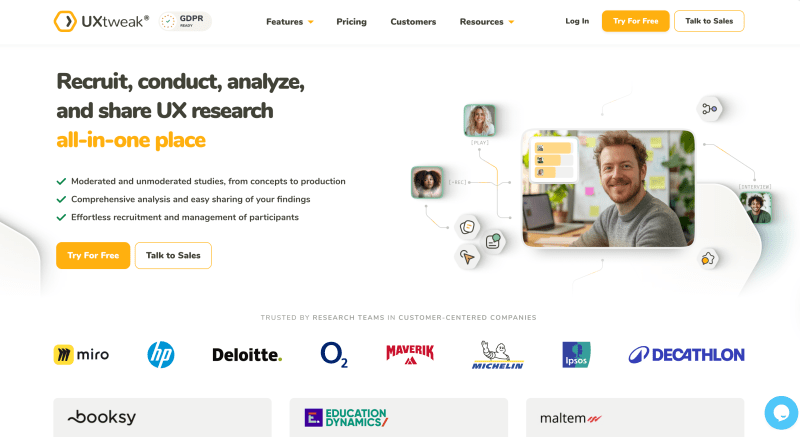
If there’s one rule in product design, it’s this: don’t guess, observe. And UXtweak makes that part a lot easier:
🙋♀️ Recruit the right participants
Your insights are only as good as the people giving them. With UXtweak’s user participant recruitment, you can tap into a massive global panel covering over 130 countries, filtered by demographics, device, and experience.
This means the feedback you get mirrors real-world conditions, not just opinions from your team or friends.
🧪 Test in ways that matter
UXtweak supports various testing methods, including:
📊 Turn data into decisions
Leverage UXtweak’s advanced analytics tools to transform raw data into actionable insights. Identify patterns, pinpoint friction points, and understand user motivations to inform your product decisions.
🔁 Iterate with confidence
Once you see what works and what doesn’t, you can refine your product iteratively. UXtweak keeps your testing continuous, so your design evolves with real user needs.
Even a small prototype test with 5–10 real users through UXtweak can reveal friction points you might never notice on your own. That’s weeks of rework saved before a single line of code goes live. 🍯
Wrapping up
Ideas are easy. Knowing they’ll actually work? That’s the hard part.
Product validation testing with UXtweak turns assumptions into evidence, letting you see exactly how users interact with your prototypes, features, and flows before a single line of code goes live.
From surveys and A/B tests to session recordings and prototype testing, every insight helps you refine your product, eliminate friction, and focus on what truly matters: building something people will love and actually use.
Try UXtweak for free today and start validating right away! 🐝
📌 Example: Your team might assume users crave a flashy dashboard. But after testing, you might discover they care far more about a simple, intuitive workflow.