Whether you’re making a social media post, YouTube thumbnail, images for website, or school project, editing photos is something almost everyone does today. The good news is that you don’t need expensive software or advanced design skills anymore. A Free AI Image Editor can help you make quick changes in just a few clicks.
AI has made photo editing much easier. Instead of spending hours learning complicated tools, you can simply upload your image, describe what you want, and let AI do most of the work. It saves time and gives you results that look clean and professional.
Edit Photos Without Complicated Software
One of the easiest tools to use is the AI Image Editor from Creative Fabrica. It works directly in your browser, so there’s nothing to install. Whether you want to remove an object, replace a background, add new elements, or improve image quality, the editor can do it in a simple way.
You don’t need to spend days learning how professional editing software works. Just upload your image, type what you want to change, and let AI do the editing. This makes it a great option for beginners and people who simply want fast results.
Remove Objects and Change Backgrounds
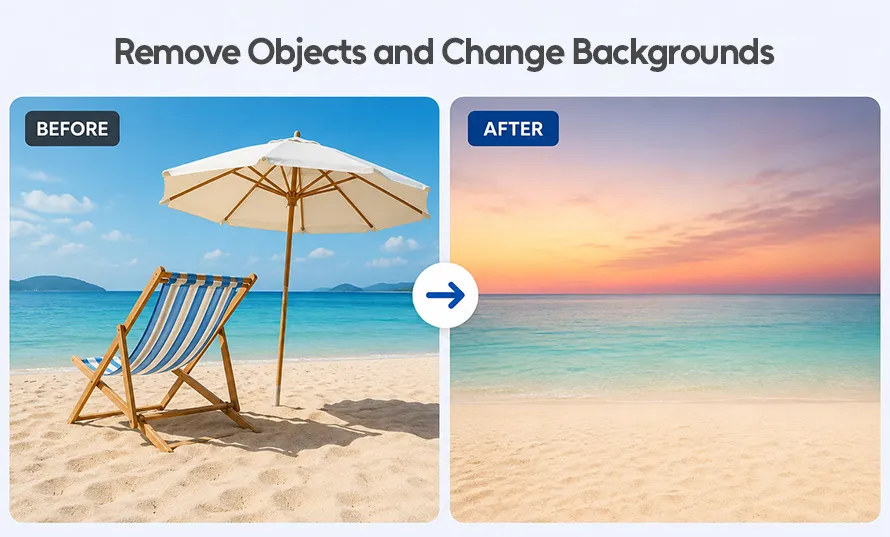
Let’s say you have a photo with too much clutter in the background. Instead of trying to erase everything by hand, AI can clean it up for you in seconds. If you’re creating a birthday invitation, product photo, poster, or marketing graphic, you can also ask AI to add new objects, change colors, or create a completely different background that matches your idea.
This is useful for online stores, bloggers, content creators, and anyone who wants better-looking photos without spending hours editing.
Resize and Improve Image Quality
Another useful feature is image expansion. Maybe your photo is too small for Instagram, Facebook, or a presentation slide. AI can extend the edges of the image naturally without making it look stretched. This is very helpful for content creators and designers who work with different image sizes.
The editor is also great for fixing old or low-quality photos. You can sharpen blurry images, improve colors, brighten dark pictures, and make older photos look clearer.
Perfect for Everyday Creative Projects
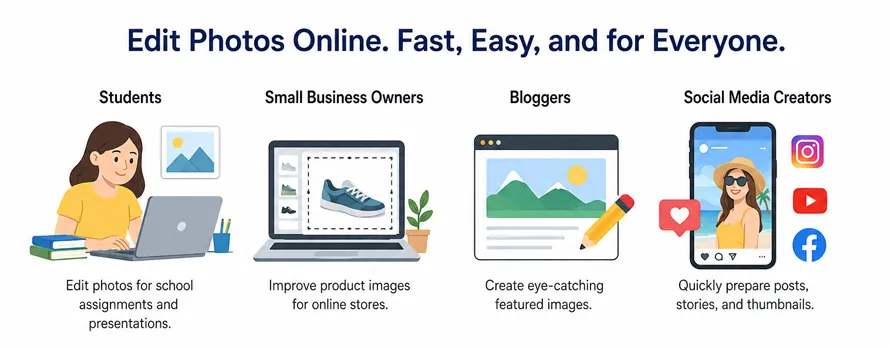
Students can edit photos for school assignments and presentations. Small business owners can improve product images for online stores. Bloggers can create eye-catching featured images, while social media creators can quickly prepare posts, stories, and thumbnails.
Because everything works online, you can start editing without downloading large software or paying for expensive design programs.
Save Time While Staying Creative
One thing many people like is that they don’t have to learn complicated editing techniques. You don’t need layers, masks, or advanced Photoshop skills. Just explain what you want, and the AI handles most of the hard work. This makes photo editing less stressful, especially for beginners.
Even experienced designers can save time with AI. Instead of repeating the same editing tasks over and over, they can focus on creating better designs while AI takes care of simple adjustments.
The Bottom Line
Photo editing doesn’t have to be difficult anymore. With a modern AI tool, anyone can turn an ordinary image into something more polished in just a few minutes. Whether you’re editing one photo for fun or creating content every day, using a free ai photo editor is an easy way to save time and produce better-looking images for almost any creative project.
(Visited 94 times, 7 visits today)