Video has become one of the most effective ways to capture attention online, whether for marketing, content creation, education, or personal projects. However, traditional video editing can be time-consuming, requiring users to trim clips, add captions, adjust audio, and optimize videos for different platforms.
AI video editors are changing that by automating many of these tasks, helping users create professional-quality videos faster and with less effort. In this guide, we’ll explore the best AI video editors available today and what makes each one worth considering.
Why Traditional Video Editing Feels So Slow
The biggest bottleneck in video editing is not creativity. It is the workflow.
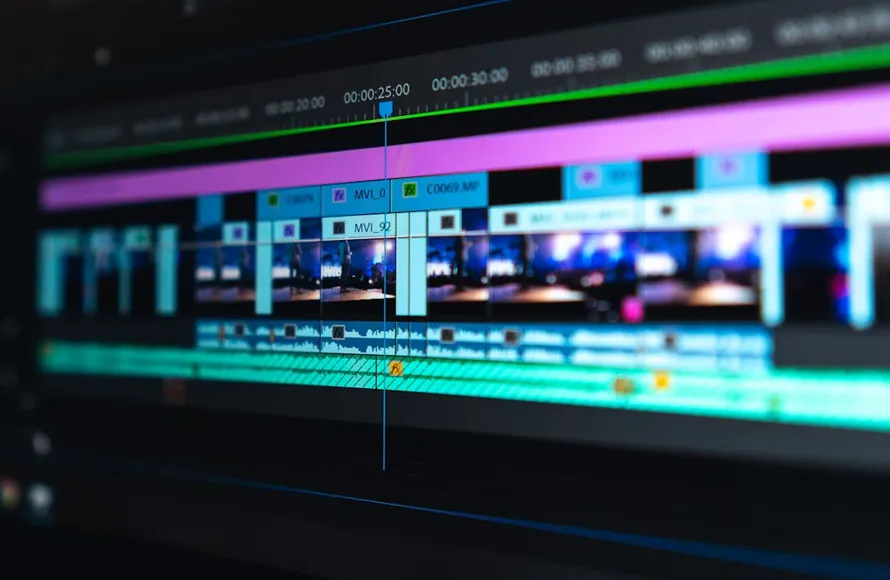
A lot of editing time goes into repetitive tasks that do not require deep creative thinking. Think about trimming silences, syncing subtitles, removing filler words, choosing aspect ratios, or generating quick transitions. These jobs matter, but they also eat up time that could be spent on storytelling and polish.
For solo creators and small teams, this becomes even more frustrating. You are not just editing. You are also planning content, writing scripts, designing thumbnails, posting on social media, and tracking performance. The more time editing takes, the harder it becomes to stay consistent.
That is where AI tools make a real difference. They reduce manual work so you can focus on the parts that actually move the video forward.
What an AI Video Editor Can Do
An AI video editor does much more than basic cutting.
Depending on the tool, AI can help you:
- Automatically trim pauses and filler words
- Generate subtitles and captions
- Suggest scene cuts and highlights
- Resize videos for different platforms
- Improve audio clarity
- Add background music or voiceovers
- Turn text prompts into video drafts
- Create short clips from longer footage
This kind of automation saves time at every stage of production. Instead of starting with a blank timeline and doing everything manually, you begin with a rough version that is already usable.
That shift is huge. It turns editing from a heavy production task into a faster refinement process.
AI Helps You Edit Faster Without Losing Quality
One common concern is that faster editing means lower quality. In practice, the opposite is often true.
When repetitive tasks are automated, editors have more time for the details that actually improve the final result. They can spend more energy on pacing, storytelling, visual consistency, and emotional impact.
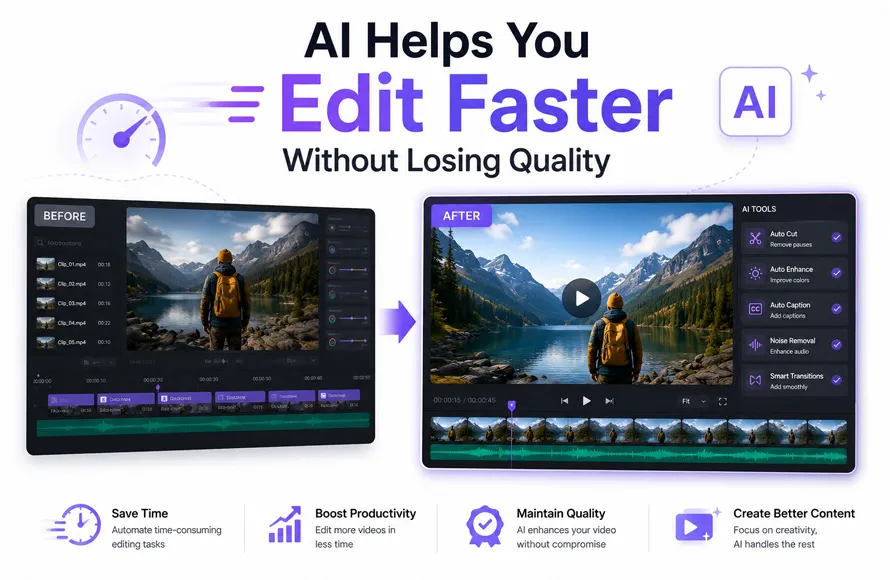
For example, if AI handles caption generation and silence removal in minutes, you can use that saved time to improve the hook, tighten the ending, or test different cuts for better retention. Efficiency is not just about speed. It is about redirecting effort toward higher-value creative decisions.
That is why AI-powered editing is becoming popular across very different use cases—from business content to personal projects.
AI Is Useful for Everyday Creators Too
You do not need to be a professional editor to benefit from AI.
Another reason AI video tools are growing so quickly is that they lower the barrier to creating something meaningful. Lots of people simply want to create videos that look polished without spending hours learning complex software. Maybe you are making a family montage, a school recap, a travel reel, or trying to make birthday video content for a friend, child, or partner.
In those cases, AI can make the process much less intimidating. Instead of manually arranging every clip and effect, you can upload footage, choose a style, add text, and let the software build a solid first version. Then you make a few personal adjustments. The result feels more polished, but the process feels much lighter.

Better Efficiency Means More Content Output
For creators and marketers, efficiency directly affects consistency.
If editing one short video takes half a day, it becomes difficult to publish regularly. But if AI reduces production time significantly, you can create more content without sacrificing your schedule or your energy.
This matters because content performance often improves through repetition and testing. The more videos you can produce, the more chances you have to learn what works. You can test new hooks, formats, lengths, and storytelling styles without getting buried in editing work.
In other words, AI does not just help you finish faster. It helps you improve faster too.
A Simple Tool Recommendation: Pollo AI
If you are looking for a practical tool to speed up video creation, Pollo AI is worth a look. It is especially useful for people who want a smoother workflow without dealing with overly technical editing steps. For creators, marketers, and casual users alike, it offers an accessible way to turn ideas into polished video content more efficiently.
The appeal is simple: less friction, faster output, and an easier path from raw material to finished video.
How to Use AI Tools More Effectively
AI works best when you use it as a creative assistant, not a total replacement for judgment.
Here are a few smart ways to get better results:
1. Start with clean input
Use organized footage, clear audio, and a rough plan. Better input usually means better AI output.
2. Let AI handle the repetitive work
Use automation for trimming, captions, resizing, and first drafts. Save your time for creative refinements.
3. Always review the final cut
AI can speed things up, but it can still miss context, tone, or timing. A quick human review is essential.
4. Edit for the platform
A video for TikTok should not feel exactly like a video for YouTube or LinkedIn. Use AI to adapt format and pacing.
5. Keep the human touch
Even when AI does the heavy lifting, your voice, taste, and emotional sense are what make the video memorable.
The Future of Editing Is Faster and More Accessible
AI-powered editing tools are changing video production in a very practical way. They are not removing creativity from the process. They are removing friction.
That is an important difference.
Whether you are a content creator trying to publish more often, a business making social videos, or someone who wants to make birthday video memories without struggling through a complicated editing process, AI can help you get there faster.
Final Thoughts
Improving video editing efficiency is really about one thing: spending less time on tedious tasks and more time on ideas that matter. A good AI video editor can automate the repetitive parts of editing, speed up production, and make quality video creation more approachable for everyone.
As AI tools continue to improve, editing will become less about technical barriers and more about creative direction. And that is good news for anyone who wants to make better videos in less time.
(Visited 27 times, 27 visits today)