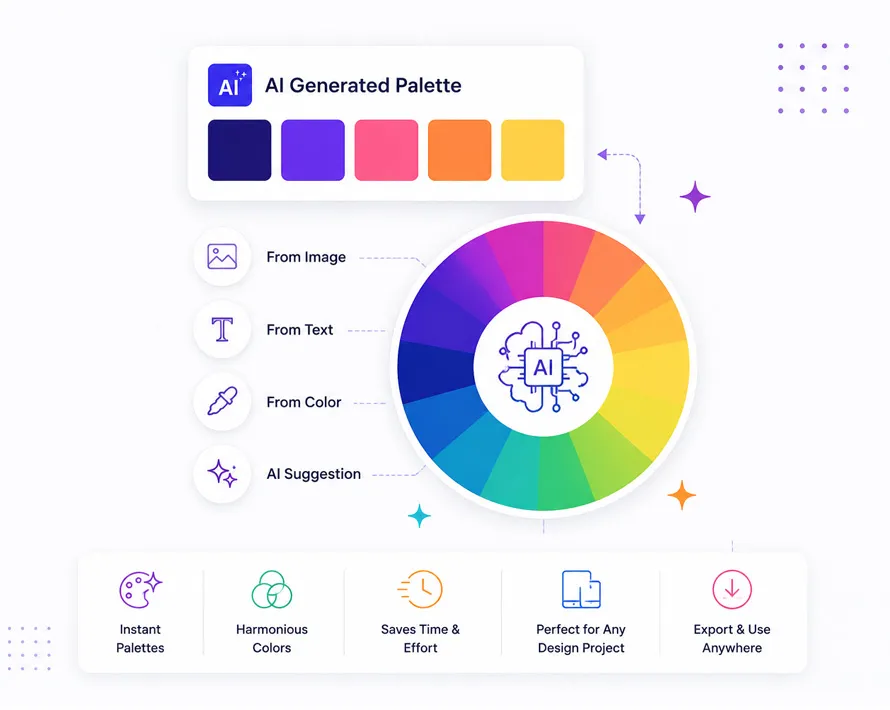
Artificial intelligence is changing how designers choose colors. Today, AI Color Palette Generators help anyone create matching color combinations in just a few seconds. These AI Tools work with AI Image Generator apps, AI Content Creators, and AI Logo generators to build attractive color palettes without spending hours testing different shades. Whether you’re designing a logo, website, mobile app, social media graphic, or presentation, AI can make the process much easier.
What Are AI Color Palette Generators?

AI Color Palette Generators are online tools that use artificial intelligence to suggest color combinations based on your project, image, text prompt, or personal preferences. Instead of choosing colors one by one, the AI studies color harmony, contrast, and design patterns to recommend palettes that work well together.
Many of these AI Tools also connect with other creative software. You can generate a palette from a photo, match colors with your brand, or build a complete design system in minutes. Some platforms even work alongside AI Image Generator software, AI Photo Editing applications, AI Remove Logo Background tools, and AI Upscale Logos software to create a complete design workflow.
These tools are useful because color is one of the first things people notice. A good palette can make a website look cleaner, help a logo become more recognizable, and improve the overall appearance of marketing materials.
How AI Color Palette Generators Work
Most AI Color Palette Generators begin with a simple input. You may upload an image, enter a text prompt, select a favorite color, or describe your brand. The AI then analyzes color relationships and produces several matching palettes.
Some platforms focus on branding, while others are built for websites, illustrations, presentations, or UI design. Modern AI Tools also study millions of existing color combinations to understand which colors work well together in different situations.
Many generators allow you to adjust brightness, saturation, contrast, and color temperature before exporting the final palette. Several tools also check accessibility, making sure the colors remain readable for websites and mobile applications.
Benefits of AI Color Palette Generators
Choosing colors manually often takes time. AI Color Palette Generators reduce that work by producing multiple combinations within seconds. Instead of guessing, you can compare different palettes and quickly decide which one fits your project.
Some of the biggest benefits include:
- Create matching color palettes in seconds
- Save time during branding projects
- Improve consistency across websites and social media
- Generate palettes from images
- Help beginners understand color harmony
- Export palettes in different formats
- Work with many popular design applications
Although AI creates useful suggestions, your final choice should always match your audience, brand identity, and project goals.
Who Should Use AI Color Palette Generators?
These tools are helpful for almost anyone working with digital design. Graphic designers use them for branding projects, while web designers create website color schemes that improve readability and user experience.
Small business owners can build consistent brand colors without hiring a professional designer right away. Content creators often use AI Color Palette Generators when creating YouTube thumbnails, Instagram posts, Pinterest graphics, and presentation slides.
Students, freelancers, UI designers, logo designers, marketers, and online store owners can also benefit from these tools because they make color selection much faster while reducing trial and error.
How We Selected These AI Tools

For this list, we compared each AI Color Palette Generator using practical features instead of marketing claims. We looked at ease of use, palette quality, customization options, export formats, accessibility support, pricing, and overall user experience.
We also considered how well each platform works with modern creative workflows, including AI Image Generator software, AI Photo Editing applications, branding tools, and other AI Tools commonly used by designers. Rather than ranking tools based only on popularity, we selected platforms that provide real value for beginners, freelancers, content creators, and professional designers.
Comparison Table: AI Color Palette Generators Comparison in 2026
| AI Color Palette Generator | Best For | Free Plan | Image Upload | AI Suggestions | Export Options | Best Feature |
|---|---|---|---|---|---|---|
| Khroma | Personalized palettes | Yes | No | Yes | HEX, RGB | Learns your favorite colors |
| Coolors | Fast palette creation | Yes | Yes | Limited | HEX, PNG, PDF | One-click palette generator |
| Adobe Color | Creative professionals | Yes | Yes | Yes | Adobe Libraries, ASE | Adobe Creative Cloud integration |
| Huemint | Branding projects | Yes | No | Yes | HEX, RGB | AI branding color combinations |
| ColorMagic | Prompt-based palettes | Yes | Yes | Yes | HEX, PNG | AI color generation from text |
| Colormind | UI and web design | Yes | No | Yes | HEX, RGB | Website color schemes |
| Canva Color Palette Generator | Beginners | Yes | Yes | Limited | HEX | Palette extraction from images |
| PaletteMaker | Marketing teams | Limited | Yes | Yes | Multiple formats | Brand-focused palettes |
| Muzli Colors | Design inspiration | Yes | No | Limited | HEX | Trending color collections |
| Leonardo AI | AI artwork | Yes | Yes | Yes | Multiple formats | AI artwork color matching |
Tip: If you’re designing a logo or brand identity, choose a tool that supports exporting HEX, RGB, and other color values so you can use the same palette across websites, print materials, presentations, and social media graphics.
Top 10 AI Color Palette Generators in 2026
Finding the right AI Color Palette Generator can save time and help you create better-looking designs with less effort. Some AI Tools focus on branding, while others are better for web design, mobile apps, social media graphics, digital artwork, or slide presentations. The best choice depends on your workflow, budget, and the type of project you’re creating.
The AI Color Palette Generators below were selected because they offer a good balance of usability, color quality, customization, and export options. Whether you need a quick color palette for a logo, want to match colors from an AI Image Generator, or are building a complete brand identity, these tools provide practical solutions for beginners and experienced designers alike.
1. Khroma

Khroma is one of the best-known AI Color Palette Generators because it learns the colors you like before suggesting combinations. Instead of showing random palettes, it asks you to choose several favorite colors. The AI studies those choices and builds personalized color palettes that match your style.
This approach makes Khroma useful for designers who work on multiple branding projects. As you continue using the platform, its recommendations become more relevant to your preferences. You can search palettes by mood, brightness, contrast, or color values, making it easier to find combinations for websites, mobile apps, posters, and logo designs.
Khroma works well with other AI Tools used for creative projects. Many designers combine its palettes with AI Image Generator software, AI Photo Editing applications, and AI Logo generators to create consistent branding across different platforms.
Features
- AI learns your color preferences
- Unlimited color combinations
- Search by hue and brightness
- Accessibility-friendly suggestions
- Export HEX, RGB, and CSS values
Pros
- Personalized recommendations
- Clean and simple interface
- Great for branding work
- Free to use
Cons
- No direct image upload
- Takes a few minutes to train the AI
2. Coolors

Coolors is one of the fastest AI Color Palette Generators available today. Press the space bar, and the platform instantly creates a new color palette. You can lock colors you like while the AI continues generating fresh combinations for the remaining colors.
The platform also lets you upload photos to extract matching colors automatically. This feature is useful when building a website, redesigning a logo, or matching colors from product photography. Designers often use Coolors during brainstorming because it produces hundreds of palette ideas within minutes.
Coolors supports many creative workflows. It fits well with AI Image Generator platforms, AI Photo Editing software, and AI Content Creators who need matching colors for social media graphics, presentations, and digital marketing materials.
Features
- One-click palette generation
- Image color extraction
- Palette locking
- Accessibility checker
- Multiple export formats
Pros
- Very easy to use
- Fast palette generation
- Excellent free version
- Good export options
Cons
- AI recommendations are fairly basic
- Advanced features require a paid plan
3. Adobe Color
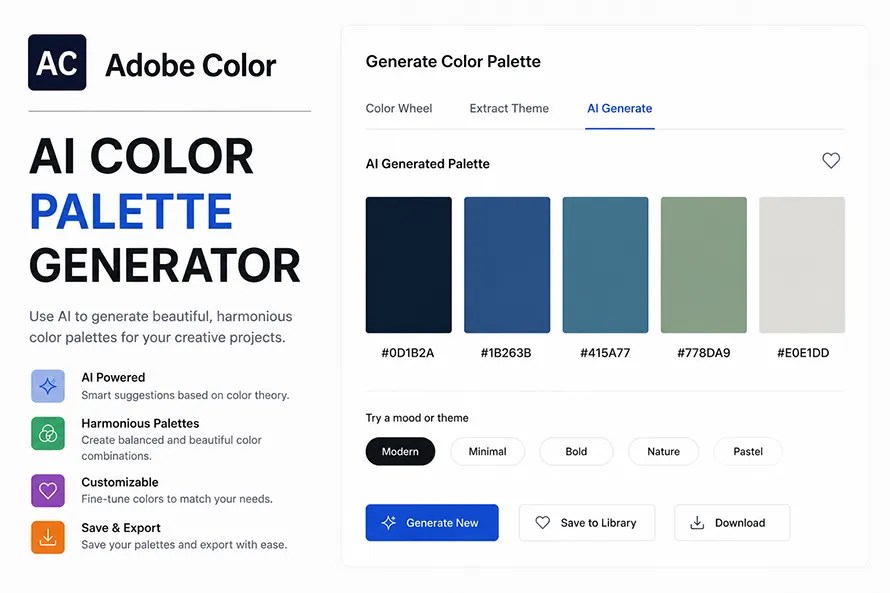
Adobe Color remains one of the most popular AI Tools for designers already using Photoshop, Illustrator, or Adobe Express. It helps users create color palettes using harmony rules, AI suggestions, and uploaded images.
One of its strongest features is integration with Adobe Creative Cloud. A palette created inside Adobe Color can be saved directly to Creative Cloud Libraries and used across multiple Adobe applications. This saves time during larger branding and design projects.
Adobe Color also includes accessibility tools that check contrast ratios for websites and mobile apps. This makes it useful for UI designers who want attractive color palettes while keeping text readable for different audiences.
Features
- AI-generated color palettes
- Image color extraction
- Color harmony rules
- Adobe Creative Cloud support
- Accessibility checker
Pros
- Excellent Adobe integration
- Reliable color tools
- Free to start
- Good accessibility features
Cons
- Best experience requires Adobe products
- Beginners may find extra tools unnecessary
4. Huemint

Huemint focuses on branding instead of random color generation. The AI studies different combinations and suggests palettes that work well for logos, websites, packaging, and marketing materials. It even previews colors inside branding layouts, making it easier to imagine the finished design.
Instead of choosing colors separately, users can generate complete branding palettes that include primary, secondary, and accent colors. This saves time when starting a new company or refreshing an existing brand identity.
Many freelancers and agencies use Huemint together with AI Logo generators and AI Remove Logo Background tools to build a complete branding workflow from logo creation to marketing graphics.
Features
- AI branding palettes
- Logo previews
- Website previews
- Brand color combinations
- Multiple palette variations
Pros
- Excellent for branding
- Easy to compare palettes
- Modern interface
- Free to use
Cons
- Smaller feature set than Adobe Color
- Fewer export options
5. ColorMagic

ColorMagic takes a different approach by letting users describe what they want using text prompts. Instead of selecting colors manually, you can type ideas like “modern coffee shop,” “luxury fashion brand,” or “nature-inspired website,” and the AI creates matching color palettes.
This prompt-based workflow feels similar to many AI Image Generator applications. It helps users explore creative ideas without knowing color theory or design principles. Each prompt can produce several palette variations, making experimentation simple.
ColorMagic is useful for designers, marketers, bloggers, and AI Content Creators looking for fresh color ideas that fit a particular mood or project theme.
Features
- AI prompt-based generation
- Image upload support
- Multiple palette variations
- Fast color suggestions
- Export color codes
Pros
- Creative prompt system
- Beginner friendly
- Fast results
- Free version available
Cons
- Results depend on prompt quality
- Limited advanced editing tools
6. Colormind

Colormind is an AI Color Palette Generator that focuses on websites, mobile apps, and user interface design. Instead of producing random color combinations, the AI studies design patterns from websites, illustrations, and digital artwork to recommend balanced color palettes. This makes it useful for designers who want colors that work together across buttons, backgrounds, headings, and other interface elements.
The platform allows users to lock colors they like while generating new options for the remaining palette. This makes experimentation much easier without starting from scratch every time. Developers also appreciate that Colormind provides color values that can be copied directly into CSS for web projects.
Many UI designers combine Colormind with AI Image Generator software and AI Photo Editing applications to keep websites and marketing graphics visually consistent.
Features
- AI-generated UI color palettes
- Color locking
- CSS color values
- Website-focused combinations
- Free online access
Pros
- Good for UI and web design
- Simple interface
- Easy CSS export
- Free to use
Cons
- Fewer branding features
- Basic export options
7. Canva Color Palette Generator

Canva Color Palette Generator is one of the easiest AI Tools for beginners. Instead of learning color theory, users simply upload an image, and the tool extracts the main colors automatically. Within seconds, it creates a palette that matches the uploaded photo.
This is especially useful for bloggers, teachers, marketers, and social media creators who want consistent colors across presentations, posters, and online graphics. Since many people already use Canva for design work, the color palette generator fits naturally into their workflow.
While Canva’s AI suggestions are not as advanced as some dedicated AI Color Palette Generators, the platform is quick, free, and easy to understand. It also works well with AI Logo generators and simple branding projects.
Features
- Image color extraction
- HEX color codes
- Canva integration
- Fast palette generation
- Beginner-friendly interface
Pros
- Very easy to use
- Completely free
- Works directly with Canva designs
- Great for beginners
Cons
- Limited AI customization
- No advanced branding features
8. PaletteMaker

PaletteMaker is designed for businesses that want consistent branding across different marketing materials. The AI studies your selected colors and recommends supporting shades that work well together. This helps create brand identities that remain consistent across websites, advertisements, presentations, packaging, and printed materials.
Unlike simple palette generators, PaletteMaker pays more attention to branding systems than individual colors. Marketing teams often use it when creating visual guidelines for companies or products.
The platform also supports exporting palettes in several formats, making it easier to share color systems with designers, developers, and content creators working on the same project.
Features
- AI branding suggestions
- Multiple export formats
- Brand color systems
- Collaboration support
- Marketing-focused palettes
Pros
- Good for branding projects
- Simple workflow
- Useful export options
- Team friendly
Cons
- Some features require a paid plan
- Smaller user community
9. Muzli Colors

Muzli Colors is built for inspiration. Instead of creating palettes from prompts or uploaded images, it gives designers access to thousands of trending color combinations collected from creative projects around the web. This makes it useful when you’re looking for fresh ideas before starting a design.
Many designers browse Muzli Colors while planning websites, logos, posters, or mobile applications. The platform updates regularly, so users can see modern color trends without searching through multiple design websites.
Although Muzli Colors is less focused on AI generation than some other platforms in this list, it remains a useful resource for discovering color combinations that match current design styles.
Features
- Trending color palettes
- Design inspiration
- Large palette library
- Quick browsing
- Free access
Pros
- Great for inspiration
- Large collection
- Easy navigation
- Free to use
Cons
- Limited AI features
- Basic customization tools
10. Leonardo AI

Leonardo AI is best known as an AI Image Generator, but it also helps users build matching AI Color Palettes from AI-generated artwork. Designers can create illustrations, concept art, game assets, and marketing graphics, then extract the dominant colors for branding or future projects.
This makes Leonardo AI useful for artists who want their logos, websites, packaging, and social media graphics to share the same visual style. The AI automatically identifies colors from generated images, reducing the need to sample colors manually.
Many creative professionals combine Leonardo AI with AI Photo Editing software, AI Remove Logo Background tools, and AI Upscale Logos applications to complete an entire branding workflow.
Features
- AI artwork generation
- Automatic color extraction
- Multiple art styles
- High-resolution exports
- Creative workflow support
Pros
- Great for digital artists
- Produces matching color palettes
- Works with AI artwork
- Regular feature updates
Cons
- More focused on image generation than color design
- Learning curve for new users
Which AI Color Palette Generator Should You Choose?

Every AI Color Palette Generator offers something different, so the right choice depends on your project and experience level.
If you want an all-around solution, Adobe Color is one of the strongest choices because it combines AI color suggestions, image extraction, accessibility checking, and Creative Cloud integration. Designers already using Photoshop or Illustrator will find it especially useful.
If you’re looking for personalized recommendations, Khroma is an excellent option because it learns your favorite colors and generates palettes based on your preferences. For branding projects, Huemint stands out by creating complete brand color systems instead of random combinations.
Coolors is a great choice for beginners who want fast results, while Leonardo AI works well for artists creating color palettes directly from AI-generated images. Businesses building a visual identity may also appreciate PaletteMaker, which focuses on consistent branding across different marketing materials.
Quick Recommendation Table
| If You Need… | Recommended Tool | Why It Stands Out |
|---|---|---|
| Best Overall | Adobe Color | Complete color tools with Creative Cloud integration |
| Best for Beginners | Coolors | Fast, simple, and easy to learn |
| Best for Branding | Huemint | Creates complete brand color systems |
| Best Personalized AI | Khroma | Learns your favorite colors over time |
| Best for AI Artwork | Leonardo AI | Extracts palettes from AI-generated images |
| Best Free Option | Canva Color Palette Generator | Quick image-based palette creation |
Things to Consider Before Choosing an AI Color Palette Generator
Not every AI Color Palette Generator offers the same features. Some tools focus on branding, while others are better for websites, mobile apps, digital art, or presentations. Before choosing one, compare the features that matter most for your project instead of selecting a tool based only on popularity.
If you create logos or brand identities regularly, look for a platform that provides flexible color editing, multiple export formats, and enough customization to build a unique visual style. Beginners may prefer a simple interface that produces useful palettes with very little setup.
Ease of Use
A clean interface makes a big difference, especially if you are new to design. Some AI Tools generate palettes with one click, while others ask you to upload an image or answer a few questions first. Choose a tool that matches your experience level.
Customization
The best AI Color Palette Generators let you adjust brightness, saturation, contrast, accent colors, and color harmony. Being able to edit every color gives you more control over the final design instead of accepting the first suggestion.
Export Formats
Check whether the platform exports HEX, RGB, CMYK, CSS, or Adobe ASE files. Having multiple formats makes it easier to use the same colors in websites, print materials, mobile apps, presentations, and branding projects.
Accessibility
Good color combinations should also be readable. Some AI Tools include accessibility checking that measures color contrast for websites and applications. This helps create designs that are easier to read for more people.
Pricing
Many AI Color Palette Generators offer free plans with basic features. Premium plans usually include unlimited exports, collaboration tools, larger libraries, and additional branding features. Compare the available plans before purchasing.
Common Mistakes to Avoid
AI can generate beautiful color palettes quickly, but choosing colors without thinking about your audience or project can still create problems. Avoiding a few common mistakes will help you build stronger designs.
Using Too Many Colors
Adding six or seven bright colors into one project often makes the design look confusing. Most successful brands use one primary color, one secondary color, and a few supporting colors.
Ignoring Accessibility
A color palette may look attractive but still be difficult to read. Low contrast between text and background can make websites, presentations, and mobile apps harder to use.
Following Trends Only
Popular colors change every year. Building your entire brand around a temporary trend may make your design feel outdated later. Choose colors that also represent your business and audience.
Forgetting Brand Consistency
Your website, logo, business cards, packaging, and social media graphics should all use the same core color palette. Consistent colors help people recognize your brand more easily.
Skipping Real Testing
Always test your palette on different screens and devices before publishing. Colors often appear different on mobile phones, tablets, and desktop monitors.
Final Buying Advice
If you only need a quick color palette for a personal project, a free AI Color Palette Generator such as Coolors or Canva Color Palette Generator may be enough. They are simple to use and can produce attractive combinations within seconds.
For professional branding, Adobe Color, Huemint, and Khroma offer more flexibility and stronger customization features. These tools make it easier to build complete brand identities that remain consistent across websites, marketing materials, presentations, and printed products.
Artists and illustrators who already use AI Image Generator software may find Leonardo AI useful because it creates matching palettes directly from AI-generated artwork. If your workflow includes AI Photo Editing, AI Remove Logo Background, or AI Upscale Logos applications, choosing a color tool that works well with those platforms can save time during larger projects.
Before paying for any subscription, try the free version first. Generate several palettes, compare the editing tools, test the export formats, and see how the colors look in real projects. Spending a few extra minutes testing different options often leads to better long-term results.
Frequently Asked Questions
What is an AI Color Palette Generator?
An AI Color Palette Generator is an online tool that uses artificial intelligence to create matching color combinations for websites, logos, branding, illustrations, presentations, and other creative projects.
Are AI Color Palette Generators free?
Many platforms offer free plans with basic features. Premium versions usually include more export options, collaboration tools, and advanced customization.
Can AI generate brand colors?
Yes. Several AI Tools create complete branding palettes based on your company name, industry, uploaded images, or design preferences.
Which AI Color Palette Generator is best for beginners?
Coolors and Canva Color Palette Generator are among the easiest options because they have simple interfaces and require very little design experience.
Can I create a color palette from an image?
Yes. Adobe Color, Canva Color Palette Generator, Leonardo AI, and several other tools can extract colors directly from uploaded images.
Do these tools work with web design?
Yes. Most AI Color Palette Generators export HEX, RGB, or CSS values that developers can use for websites and mobile applications.
Are AI-generated color palettes unique?
AI can generate many different color combinations, but similar palettes may appear in different projects. You can customize the colors to better match your own brand.
Should I use AI instead of learning color theory?
AI is a helpful starting point, but understanding basic color theory still helps you make better design decisions and build stronger visual identities.
Final Thoughts
AI Color Palette Generators have become useful tools for designers, developers, marketers, students, and business owners who want better color combinations without spending hours experimenting. They help speed up the creative process while giving users plenty of ideas to explore.
The best tool depends on your workflow. Adobe Color is a solid choice for Creative Cloud users, Khroma provides personalized recommendations, Huemint focuses on branding, Coolors keeps things simple, and Leonardo AI connects color generation with AI artwork. Comparing a few platforms before choosing one is the easiest way to find the right fit for your projects.
As AI Trends continue to influence creative software, AI Color Palette Generators will likely become even more connected with AI Image Generator platforms, AI Photo Editing applications, AI Logo generators, AI Remove Logo Background tools, and AI Upscale Logos software. Even with these improvements, your own creative decisions remain the most important part of building a memorable design.
(Visited 54 times, 55 visits today)