Creating a professional logo used to take days or even weeks. You had to hire a designer, explain your ideas, wait for drafts, request revisions, and finally receive the files. Today, AI logo generators have changed that process. In just a few minutes, you can create dozens of logo concepts for almost any type of business.
Whether you’re launching a startup, opening a local coffee shop, starting an online store, or building a personal brand, an AI logo generator can help you create a professional-looking logo without spending hundreds of dollars.
Of course, not every AI logo maker delivers the same results. Some tools generate modern and creative logos, while others produce designs that feel generic or outdated. Some give you full editing control, while others only let you download a finished design. Pricing, export options, and commercial licensing also vary from one platform to another.
That’s why I decided to test some of the most popular AI logo generators available today.
The best AI logo generators don’t just save time – they help transform ideas into professional brand identities in minutes.
Instead of simply reading product pages or comparing feature lists, I created logos with every tool myself using the same prompts and business ideas. This made it much easier to see which AI logo generators produce the best results and which ones still need improvement.
If you’re looking for the best AI logo generator in 2026, this guide will help you choose the right one for your next branding project.
Why Trust This Comparison?
There are hundreds of articles online listing the “best AI logo generators“, but many of them simply repeat information from company websites without actually using the tools.
I wanted this comparison to be different.
Every AI logo generator included in this article was tested using the same workflow and similar prompts. Instead of judging them by marketing claims, I compared the actual logos they produced.
The goal wasn’t to find the “perfect” logo. Instead, I wanted to answer a few simple questions:
- Which AI creates the most professional-looking logos?
- Which one gives the best customization options?
- Which tool is easiest for beginners?
- Which platform offers the best value?
- Which logo generator would I personally use for a real project?
This hands-on approach gives a much more realistic comparison than simply listing features.
How I Tested These AI Logo Generators
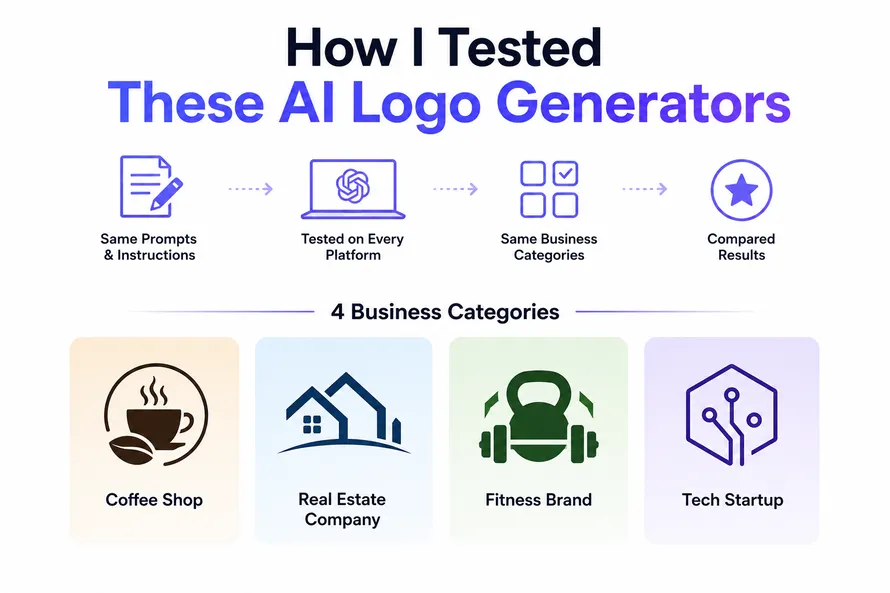
To keep the comparison fair, I used nearly identical prompts and instructions across every platform.
Each AI logo generator was asked to create logos for the same four business categories:
- Coffee Shop
- Real Estate Company
- Fitness Brand
- Tech Startup
These business types were chosen because they cover very different branding styles.
A coffee shop usually needs a warm, friendly, and welcoming design.
A real estate company often requires a clean, trustworthy, and professional logo.
A fitness brand benefits from bold typography, energetic colors, and modern icons.
A tech startup typically looks best with a simple, minimal, and futuristic visual identity.
Using the same categories made it much easier to compare how each AI handled typography, colors, icons, layouts, and overall creativity.
For every platform, I also explored the available customization options after the initial logo was generated. Some tools allow extensive editing, while others offer only basic color or font changes.
Throughout this article, you’ll find 2 – 4 logo examples created with each AI logo generator. These examples use the same business ideas, making it easier to compare the quality of the generated logos side by side.
The purpose of these examples is not to declare one tool as the absolute winner. Instead, they show how different AI systems interpret the same branding request.
How I Rated Each AI Logo Generator
| Rating Criteria | Weight |
|---|---|
| Logo Quality | 30% |
| Creativity | 20% |
| Customization Options | 15% |
| Ease of Use | 10% |
| Export Formats | 10% |
| Speed | 5% |
| Pricing | 5% |
| Overall Value | 5% |
Quick Comparison Table
| AI Logo Generator | AI Quality | Customization | Vector Export | Free Version | Best For |
|---|---|---|---|---|---|
| Figma AI | ***** | ***** | Yes | Limited | Professional Designers |
| Microsoft Designer | **** | **** | Limited | Yes | Marketing & Social Media |
| Freepik AI Logo Maker | ***** | **** | Yes | Limited | Branding Projects |
| Canva Magic Design | **** | **** | Yes (Pro) | Yes | Beginners |
| Adobe Express AI | ***** | ***** | Yes | Limited | Creative Professionals |
| VistaPrint AI Logo Maker | **** | *** | Yes | Limited | Small Businesses |
| Hostinger AI Logo Maker | **** | **** | Yes | Limited | Startups & Websites |
| Shopify Hatchful | *** | *** | PNG | Yes | Ecommerce Stores |
| Squarespace Logo Maker | *** | *** | Yes | Yes | Personal Brands |
| Namecheap Logo Maker | **** | **** | Yes | Yes | Budget-Friendly Branding |
What Makes a Great AI Logo Generator?
Not every logo generator is designed for the same audience.
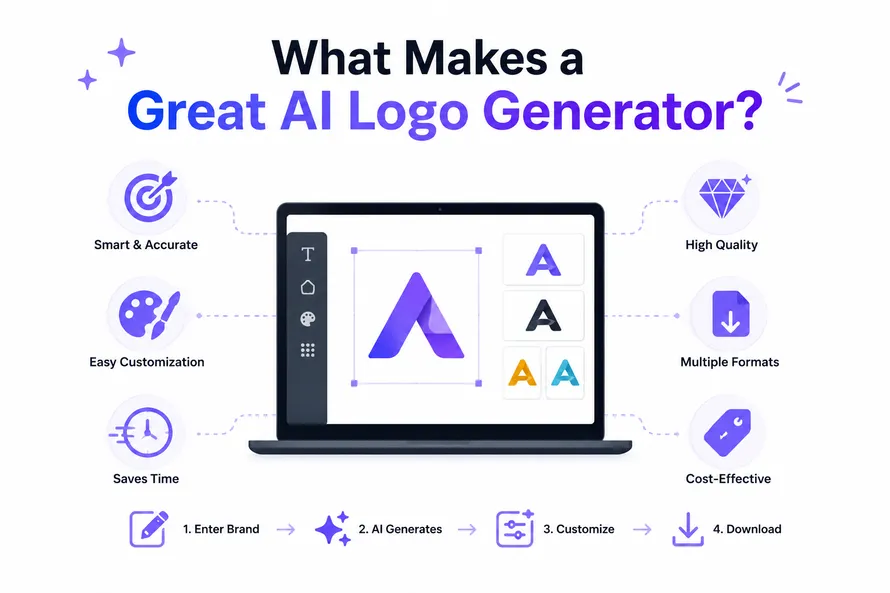
Some platforms focus on speed, allowing users to create a logo in less than five minutes. Others provide advanced editing features, making them more suitable for designers who want complete creative control.
After testing these AI tools, I found that the best AI logo generators usually have a few things in common.
First, they generate logos that don’t immediately look like they were created by AI. Good typography, balanced layouts, and thoughtful icon choices make a huge difference.
Second, customization is just as important as the initial design. AI can provide a strong starting point, but most logos still need small adjustments before they truly represent a brand.
Finally, export quality matters. A business logo should work on websites, business cards, social media profiles, packaging, merchandise, and large printed banners. Having access to vector formats like SVG or PDF ensures the logo stays sharp at any size.
The 10 Best AI Logo Generators
Let’s take a closer look at each platform, examine the logos they produced, and see where each one performs best.
1. Figma AI
Best for: Professional designers, UI/UX teams, agencies, and startups that want complete control over their logo designs.
Overview
Figma has become one of the most popular design platforms in the world, especially for UI and UX design. With its latest AI features, it is also becoming a useful tool for logo creation. Unlike many dedicated AI logo makers, Figma doesn’t simply generate a finished logo and stop there. Instead, it helps you brainstorm ideas, generate layouts, edit vector graphics, and continue refining your design inside the same workspace.
During testing, Figma AI produced some of the cleanest logo concepts in this comparison. Typography looked balanced, spacing was consistent, and the generated ideas felt more modern than many traditional logo generators.
What impressed me most was the flexibility after generation. Instead of accepting whatever AI creates, you can easily edit fonts, icons, colors, alignment, spacing, and shapes without leaving the application.
If you already use Figma for website or app design, keeping your logo project inside the same software makes the workflow much faster.
Best Features
- AI-assisted logo ideas
- Professional vector editing
- Real-time collaboration
- Large plugin ecosystem
- SVG, PDF and PNG export
- Easy color and typography editing
- Perfect for complete brand identity projects
What I Liked
- Very clean and modern logo concepts
- Excellent typography suggestions
- Unlimited editing flexibility
- Works well for professional branding
- Easy collaboration with teams and clients
What Could Be Better
- Not a dedicated logo generator
- Some AI features are still evolving
- Beginners may need time to learn the interface
Pricing
Figma offers a free plan with generous features. Advanced AI capabilities and professional collaboration tools are available through paid plans.
Best For
- Professional designers
- Creative agencies
- Startups
- UI/UX designers
- Brand identity projects
Overall Score
| Category | Score |
|---|---|
| Logo Quality | ***** |
| Creativity | ***** |
| Customization | ***** |
| Ease of Use | **** |
| Export Options | ***** |
| Overall Value | ***** |
Overall Rating: 4.9 / 5
Quick Verdict
After testing all four logo prompts, Figma AI consistently produced some of the strongest results in this comparison. While it isn’t a one-click logo generator, it gives designers much more freedom to refine and improve the final design. If you want a professional logo that doesn’t look generic, Figma AI is one of the best choices available.
My Recommendation: If you’re serious about branding and don’t mind spending a little extra time editing your design, Figma AI deserves a place at the top of your shortlist.
2. Microsoft Designer
Best for: Beginners, marketers, content creators, and small businesses looking for fast AI-generated logos.
Overview
Microsoft Designer has grown into much more than a social media design tool. Thanks to Microsoft’s investment in AI, it can quickly generate branding ideas, marketing graphics, and simple logo concepts from a short description.
Unlike traditional logo makers that ask dozens of questions before generating a design, Microsoft Designer feels much more conversational. Simply describe your business, choose a style, and the AI begins creating visual concepts within seconds.
During my testing, Microsoft Designer produced clean, modern logos with balanced layouts. Typography looked especially good for technology startups and fitness brands. Coffee shop logos also looked attractive, although a few icon choices felt a little generic.
One thing I liked was the speed. It generated multiple ideas almost instantly, making it easy to experiment with different styles.
Microsoft Designer is not a dedicated logo platform, so advanced editing options are more limited than Figma or Adobe Express. If you need complete control over every design element, you’ll likely export the logo and finish it elsewhere.
Best Features
- Fast AI logo generation
- Simple prompt-based workflow
- Modern typography
- Microsoft AI integration
- Quick editing tools
- Easy downloads
What I Liked
- Very beginner friendly
- Fast logo generation
- Modern layouts
- Good typography
- Works well with marketing graphics
What Could Be Better
- Limited editing controls
- Some repeated icons
- Not ideal for advanced branding projects
Pricing
Microsoft Designer includes many AI features for free, while additional AI capabilities are available through Microsoft subscriptions.
Best For
- Small businesses
- Content creators
- Freelancers
- Marketing teams
- Beginners
Overall Score
| Category | Score |
|---|---|
| Logo Quality | **** |
| Creativity | **** |
| Customization | *** |
| Ease of Use | ***** |
| Export Options | **** |
| Overall Value | **** |
Overall Rating: 4.5 / 5
Quick Verdict
Microsoft Designer is one of the easiest AI logo generators I tested. It creates clean logo concepts in seconds and requires almost no design experience. While it doesn’t replace professional branding software, it is an excellent starting point for entrepreneurs, startups, and creators.
My Recommendation: Choose Microsoft Designer if you want a fast, beginner-friendly AI logo maker that also helps create social media graphics and other marketing assets.
3. Freepik AI Logo Maker
Best for: Designers, startups, agencies, and businesses that want creative AI-generated logos with access to a massive design library.
Overview
Freepik has become one of the biggest platforms for designers, offering millions of vectors, icons, templates, photos, and AI-powered creative tools. Its AI Logo Maker is designed to help users generate professional logo ideas quickly while still providing enough flexibility to customize the final design.
During my testing, Freepik AI Logo Maker produced some of the most visually appealing logos in this comparison. The designs felt modern, balanced, and suitable for real businesses rather than looking like generic clipart.
I noticed that typography was handled particularly well. The AI paired fonts with icons in a way that looked natural, especially for coffee shops and technology startups. The fitness logos also had strong, energetic layouts without becoming overly complicated.
One advantage of Freepik is its huge collection of design resources. If the generated logo needs additional editing, you can easily enhance it using Freepik’s icons, vectors, mockups, and other branding assets without leaving the platform.
Although the AI does an excellent job creating first drafts, some logos still benefit from small manual adjustments to spacing, colors, or typography. Fortunately, those changes are easy to make.
Best Features
- AI-powered logo generation
- Large library of premium icons and vectors
- Modern typography combinations
- Professional branding assets
- Easy customization
- Fast logo creation
- Works well with Freepik’s other AI tools
What I Liked
- Very creative logo concepts
- Excellent icon quality
- Modern color combinations
- High-quality branding resources
- Simple workflow for beginners
What Could Be Better
- Some premium features require a subscription
- Advanced customization is still limited compared to dedicated design software
- A few logo variations looked similar after repeated generations
Pricing
Freepik offers free AI generations with limits, while premium plans unlock additional logo generations, downloads, editing tools, and access to millions of creative assets.
Best For
- Graphic designers
- Brand identity projects
- Marketing agencies
- Small businesses
- Creative professionals
Overall Score
| Category | Score |
|---|---|
| Logo Quality | ***** |
| Creativity | ***** |
| Customization | *** |
| Ease of Use | *** |
| Export Options | ***** |
| Overall Value | **** |
Overall Rating: 4.8 / 5
Quick Verdict
Freepik AI Logo Maker was one of my favorite tools during testing. It consistently generated attractive logo concepts with modern typography, strong icons, and balanced layouts. Combined with Freepik’s huge collection of design resources, it becomes much more than a simple logo generator.
My Recommendation: If you want high-quality AI logo concepts and access to a complete creative ecosystem, Freepik AI Logo Maker is an excellent choice for designers, startups, and growing businesses.
4. Canva Magic Design
Best for: Beginners, entrepreneurs, freelancers, and small businesses that want an easy way to create professional logos.
Overview
Canva has become one of the world’s most popular design platforms, and its Magic Design AI tools make creating logos easier than ever. Instead of starting with a blank canvas, you simply describe your business, choose a style, and let the AI generate several logo ideas within seconds.
During my testing, Canva consistently created clean and attractive logo concepts. It performed especially well with coffee shop and lifestyle brands, producing modern typography and balanced layouts that looked ready for websites and social media.
One of Canva’s biggest strengths is what happens after the logo is generated. Every element can be edited using Canva’s drag-and-drop editor. Fonts, colors, icons, backgrounds, spacing, and layouts can all be changed without any design experience.
Because Canva includes thousands of templates, stock graphics, and branding tools, it’s easy to turn a simple logo into a complete visual identity. You can quickly create business cards, flyers, social media posts, presentations, and marketing materials using the same brand colors and typography.
The only downside is that some premium fonts, icons, and export options require Canva Pro. Free users can still create attractive logos, but the best assets are reserved for paid plans.
Best Features
- Magic Design AI logo generation
- Easy drag-and-drop editor
- Thousands of templates
- Large icon and font library
- Brand Kit support
- Quick resizing for different platforms
- Easy collaboration
What I Liked
- Very beginner friendly
- Clean modern logo designs
- Fast editing workflow
- Excellent branding tools
- Huge template collection
What Could Be Better
- Best assets require Canva Pro
- Some AI concepts can feel similar
- Less vector editing than professional software
Pricing
Canva offers a generous free plan. Canva Pro unlocks premium templates, Brand Kits, AI features, and additional export options.
Best For
- Small businesses
- Content creators
- Freelancers
- Students
- Entrepreneurs
Overall Score
| Category | Score |
|---|---|
| Logo Quality | **** |
| Creativity | *** |
| Customization | **** |
| Ease of Use | *** |
| Export Options | **** |
| Overall Value | **** |
Overall Rating: 4.7 / 5
Quick Verdict
Canva Magic Design is one of the easiest AI logo generators for beginners. It creates attractive logo concepts quickly, and its editing tools make it simple to customize every part of the design. If you also need social media graphics, keynote presentations, or marketing materials, Canva becomes an excellent all-in-one branding platform.
My Recommendation: Canva is a great choice for startups, freelancers, bloggers, and small businesses that want an affordable logo maker with powerful editing features.
5. Adobe Express AI
Best for: Creative professionals, marketers, and businesses that want polished logo concepts with Adobe’s AI tools.
Overview
Adobe Express combines Adobe’s design experience with AI-powered tools to help users create logos, social media graphics, flyers, presentations, and complete branding materials. Powered by Adobe Firefly technologies, it aims to produce clean, modern designs while keeping the editing process simple.
In my testing, Adobe Express consistently delivered professional-looking logo concepts. Typography felt balanced, icons matched the business type, and the overall layouts looked polished. The technology startup and real estate logos stood out the most because they had a premium, corporate feel.
Unlike many one-click logo makers, Adobe Express lets you continue refining your design after the AI finishes. You can change fonts, colors, icons, backgrounds, spacing, and layouts without starting over.
If you already use Photoshop, Illustrator, or other Adobe Creative Cloud apps, Adobe Express fits naturally into your workflow. It’s easy to move branding assets between applications and build a complete visual identity.
Although beginners can use Adobe Express, the large number of design tools may feel overwhelming at first. After a short learning period, however, it becomes one of the most flexible AI branding platforms available.
Best Features
- Adobe Firefly AI technology
- Professional logo generation
- Large collection of fonts and icons
- Easy brand kit creation
- Social media and marketing templates
- Creative Cloud integration
- High-quality export options
What I Liked
- Premium-looking logo concepts
- Excellent typography
- Powerful editing tools
- Professional branding workflow
- Works well with other Adobe apps
What Could Be Better
- Premium features require a subscription
- More tools than casual users may need
- Learning curve is slightly higher than Canva
Pricing
Adobe Express includes a free plan with basic features. Premium plans unlock advanced AI tools, Brand Kits, premium assets, and additional export options.
Best For
- Professional designers
- Marketing teams
- Brand identity projects
- Creative agencies
- Small businesses
Overall Score
| Category | Score |
|---|---|
| Logo Quality | ***** |
| Creativity | ***** |
| Customization | *** |
| Ease of Use | ***** |
| Export Options | ***** |
| Overall Value | ***** |
Overall Rating: 4.5 / 5
Quick Verdict
Adobe Express AI was one of the strongest performers in this comparison. It consistently produced professional logos that required very little editing before they looked ready for real businesses. Combined with Adobe’s branding tools and Creative Cloud ecosystem, it offers excellent value for anyone building a complete brand identity.
My Recommendation: If you already use Adobe products or want a polished logo with room for customization, Adobe Express AI is one of the best AI logo generators available today.
6. VistaPrint AI Logo Maker
Best for: Local businesses, entrepreneurs, and companies that need a logo plus matching printed marketing materials.
Overview
VistaPrint is well known for business cards, flyers, packaging, signs, and other printed products. Its AI Logo Maker extends that experience by helping users create a logo that can immediately be used across both digital and print branding.
During my testing, VistaPrint generated clean and professional logo concepts. The designs focused on readability and practical business use rather than flashy effects. The real estate and coffee shop logos looked especially polished, with balanced typography and simple icons.
One thing I appreciated was how easy it is to move from logo creation to ordering branded materials. After generating a logo, you can quickly apply it to business cards, letterheads, apparel, stickers, and promotional products without recreating your branding.
The customization tools are straightforward, allowing you to adjust fonts, colors, icons, and layouts. They aren’t as advanced as Figma or Adobe Express, but they’re more than enough for most small businesses.
If your goal is to launch a business quickly with matching branding assets, VistaPrint offers a convenient all-in-one workflow.
Best Features
- AI-powered logo creation
- Business card integration
- Print-ready branding materials
- Simple editing interface
- Commercial-ready designs
- Fast logo generation
What I Liked
- Professional business-focused logos
- Excellent print integration
- Easy for beginners
- Fast workflow
- Useful branding products
What Could Be Better
- Less creative than some competitors
- Limited advanced editing
- Premium downloads require payment
Pricing
Creating logo concepts is simple, while premium logo downloads and printed branding products are available through paid packages.
Best For
- Local businesses
- Restaurants
- Retail stores
- Service companies
- Small business owners
Overall Score
| Category | Score |
|---|---|
| Logo Quality | **** |
| Creativity | **** |
| Customization | *** |
| Ease of Use | **** |
| Export Options | **** |
| Overall Value | **** |
Overall Rating: 4.2 / 5
Quick Verdict
VistaPrint AI Logo Maker is built for business owners who want a simple branding solution. It may not have the deepest editing tools, but it creates professional logos quickly and makes it incredibly easy to turn those designs into real-world marketing materials.
My Recommendation: Choose VistaPrint if you’re launching a business and need both a logo and matching printed products from one platform.
7. Hostinger AI Logo Maker
Best for: Startups, website owners, freelancers, and entrepreneurs who want a logo and website branding in one place.
Overview
Hostinger is best known for web hosting and website building, but it also offers an AI Logo Maker designed to help new businesses create their brand identity quickly. The tool focuses on simplicity, making it possible to generate a logo in just a few minutes without any design experience.
During my testing, Hostinger produced modern and clean logo concepts. The technology startup and fitness brand designs were especially impressive, using bold typography and simple icons that worked well on websites and social media profiles.
The interface is very beginner-friendly. After entering your business name and a short description, the AI creates several logo concepts that can be customized with different fonts, colors, layouts, and symbols.
One of Hostinger’s biggest advantages is its ecosystem. If you’re building a website with Hostinger Website Builder, your logo can easily become part of your complete online brand without moving files between different platforms.
Although professional designers may still prefer advanced software like Figma or Adobe Express, Hostinger AI Logo Maker offers an excellent balance between speed, simplicity, and quality.
Best Features
- Fast AI logo generation
- Simple customization tools
- Website Builder integration
- Modern typography
- Multiple logo variations
- Beginner-friendly interface
What I Liked
- Very easy to use
- Clean logo concepts
- Excellent for startups
- Good website integration
- Fast generation speed
What Could Be Better
- Limited advanced editing
- Fewer creative options than design-focused platforms
- Premium downloads may require payment
Pricing
Hostinger AI Logo Maker is available as part of its website ecosystem, with premium options depending on the services you choose.
Best For
- Startups
- Website owners
- Freelancers
- Small businesses
- Entrepreneurs
Overall Score
| Category | Score |
|---|---|
| Logo Quality | *** |
| Creativity | *** |
| Customization | ***** |
| Ease of Use | **** |
| Export Options | **** |
| Overall Value | **** |
Overall Rating: 4 / 5
Quick Verdict
Hostinger AI Logo Maker is an excellent choice for anyone starting a new website or online business. It combines quick AI-generated logo concepts with easy editing tools, making it possible to create a complete online brand without hiring a designer.
My Recommendation: If you’re already planning to build a website with Hostinger, its AI Logo Maker is a convenient and practical way to create a matching brand identity.
8. Shopify Hatchful
Best for: Ecommerce stores, online sellers, startups, and entrepreneurs looking for a free AI logo maker.
Overview
Shopify Hatchful is one of the easiest free logo makers available today. Created by Shopify, the tool is designed mainly for ecommerce businesses, but it also works well for bloggers, freelancers, local businesses, and personal brands.
Unlike many AI logo generators that require long prompts, Hatchful asks a few simple questions about your business and preferred style. Within seconds, it creates multiple logo concepts that are ready to customize and download.
During my testing, Hatchful generated clean and colorful logos. The coffee shop and fitness brand results looked especially good, while the technology startup logos were modern and easy to read. Some designs felt slightly template-based, but they still looked professional enough for many small businesses.
One of Hatchful’s biggest advantages is that it’s completely free to use. That’s a huge benefit for entrepreneurs who need a logo without paying for expensive branding software.
Although customization is more limited than platforms like Figma or Adobe Express, Hatchful focuses on speed and simplicity. For many users, that’s exactly what they need.
Best Features
- Free logo maker
- Fast AI-assisted logo generation
- Business category templates
- Easy customization
- Ready-made social media assets
- Beginner-friendly interface
What I Liked
- Completely free
- Very easy to use
- Good logo variety
- Fast generation speed
- Helpful branding assets for online stores
What Could Be Better
- Limited editing controls
- Some logos feel template-based
- No advanced vector editing
Pricing
Shopify Hatchful is free, making it one of the best options for startups and small businesses with a limited budget.
Best For
- Shopify stores
- Ecommerce businesses
- Startups
- Freelancers
- Personal brands
Overall Score
| Category | Score |
|---|---|
| Logo Quality | **** |
| Creativity | *** |
| Customization | *** |
| Ease of Use | ***** |
| Export Options | **** |
| Overall Value | **** |
Overall Rating: 4 / 5
Quick Verdict
Shopify Hatchful isn’t the most advanced AI logo generator, but it delivers solid results for a free tool. If you need a professional-looking logo quickly and don’t want to spend money, it’s one of the easiest options available.
My Recommendation: Hatchful is perfect for ecommerce businesses, side projects, and entrepreneurs who want a free logo maker that gets the job done.
9. Squarespace Logo Maker
Best for: Personal brands, portfolios, freelancers, bloggers, and small businesses that want a simple, clean logo.
Overview
Squarespace Logo Maker focuses on simplicity. Rather than overwhelming users with countless design options, it provides a clean workflow for creating modern logos that work well on websites, business cards, and social media.
During my testing, the generated logos leaned toward minimal design. The typography was clean, the layouts were balanced, and the icons were simple without feeling outdated. This made the technology startup and real estate logos stand out, while the coffee shop logos looked modern and welcoming.
The editor is intentionally straightforward. You can change fonts, colors, icon placement, and spacing without dealing with complicated design tools. Beginners can create a logo within a few minutes.
If you’re building your website with Squarespace, using its Logo Maker keeps everything inside one platform. Your logo, website, and branding assets can work together without additional software.
Although the customization options aren’t as deep as Figma or Adobe Express, Squarespace Logo Maker succeeds by keeping the process simple and fast.
Best Features
- Simple logo creation workflow
- Minimal modern designs
- Website integration
- Easy customization
- Clean typography
- Quick downloads
What I Liked
- Very clean logo styles
- Easy to learn
- Good typography
- Works well for websites
- Fast generation
What Could Be Better
- Limited icon library
- Fewer customization tools
- Less suitable for complex branding projects
Pricing
Squarespace Logo Maker is free to try, while additional branding and website features are available through Squarespace plans.
Best For
- Freelancers
- Personal brands
- Portfolio websites
- Bloggers
- Small businesses
Overall Score
| Category | Score |
|---|---|
| Logo Quality | **** |
| Creativity | *** |
| Customization | *** |
| Ease of Use | *** |
| Export Options | **** |
| Overall Value | ***** |
Overall Rating: 3.8 / 5
Quick Verdict
Squarespace Logo Maker is a solid option if you prefer simple, modern branding. It doesn’t have the advanced editing features of dedicated design software, but it creates attractive logos quickly and fits naturally into the Squarespace website ecosystem.
My Recommendation: If you’re launching a portfolio, blog, or small business website with Squarespace, this logo maker is an easy way to build a consistent visual identity.
10. Namecheap Logo Maker
Best for: Startups, freelancers, bloggers, domain buyers, and anyone looking for a free, easy-to-use AI logo maker.
Overview
Namecheap is widely known for domain registration and web hosting, but its free AI Logo Maker has quietly become a useful branding tool for new businesses. It is designed for users who need a professional-looking logo without spending hours learning design software.
During my testing, Namecheap generated clean, modern logo concepts that worked well across different business categories. The technology startup logos looked especially polished, while the coffee shop and fitness logos featured attractive typography and simple, memorable icons.
The process is straightforward. After entering your business name and selecting a few style preferences, the AI creates multiple logo variations within seconds. You can then adjust fonts, colors, layouts, and icons before downloading the final design.
One of the biggest advantages of Namecheap Logo Maker is that it offers high-resolution logo downloads without the high price often associated with other branding platforms. This makes it an excellent choice for startups working with a limited budget.
Although it doesn’t offer the advanced editing capabilities of professional software like Figma or Adobe Express, it delivers impressive results considering how simple and accessible the platform is.
Best Features
- Free AI logo generator
- Fast logo creation
- Easy customization
- Modern font combinations
- High-resolution downloads
- Simple user interface
What I Liked
- Very easy to use
- Good logo quality
- Fast generation speed
- Excellent value
- Great for startups
What Could Be Better
- Limited advanced editing
- Fewer creative controls than professional design software
- Some icon choices repeat between generations
Pricing
Namecheap Logo Maker is free to use, making it one of the most budget-friendly AI logo generators in this comparison.
Best For
- Startups
- Small businesses
- Freelancers
- Personal brands
- Website owners
Overall Score
| Category | Score |
|---|---|
| Logo Quality | *** |
| Creativity | *** |
| Customization | *** |
| Ease of Use | ** |
| Export Options | *** |
| Overall Value | *** |
Overall Rating: 3.5 / 5
Quick Verdict
Namecheap Logo Maker impressed me more than I expected. It produces modern logo concepts quickly, is extremely easy to use, and provides excellent value for entrepreneurs launching a new business. While advanced designers may still want additional editing tools, most beginners will find everything they need to create a strong first logo.
My Recommendation: If you’re starting a new website, buying a domain, or launching a business on a budget, Namecheap Logo Maker is one of the best free AI logo generators worth trying.
Which AI Logo Generator Should You Choose?
After testing all ten AI logo generators using the same prompts and business categories, I found that every platform has its own strengths. Some produced beautiful typography, while others focused on speed, customization, or beginner-friendly workflows.
Instead of naming one tool as the winner for everyone, here are my recommendations based on different needs.
| Category | Winner | Why? |
|---|---|---|
| Best Overall | Figma AI | Excellent logo quality, professional editing tools, and complete creative freedom. |
| Best for Professional Branding | Adobe Express AI | Premium logo concepts with powerful branding tools. |
| Best for Beginners | Canva Magic Design | Simple interface with excellent editing features. |
| Best Free AI Logo Generator | Namecheap Logo Maker | Great logo quality without spending money. |
| Best for Ecommerce | Shopify Hatchful | Designed specifically for online stores. |
| Best for Websites | Hostinger AI Logo Maker | Easy branding for new websites and startups. |
| Best Design Resources | Freepik AI Logo Maker | Huge library of icons, vectors, and branding assets. |
| Best Print Branding | VistaPrint AI Logo Maker | Perfect for business cards and printed marketing materials. |
Tips for Creating Better AI Logos
- Write a clear business description instead of only entering your company name.
- Mention your target audience.
- Choose a design style such as modern, luxury, vintage, minimalist, or bold.
- Keep the color palette simple.
- Generate several versions before making a decision.
- Edit the final logo to improve spacing, typography, and colors.
- Download SVG or vector files whenever possible.
- Test your logo on light and dark backgrounds.
- Check how it looks as a website favicon and social media profile image.
- Create a complete brand kit using matching colors and fonts.
Final Thoughts
AI logo generators have improved dramatically over the past few years. They are no longer just tools for creating quick placeholders. Many can now generate professional-looking logo concepts that are suitable for startups, freelancers, online stores, and even growing businesses.
That said, every AI logo generator has its own strengths. Some focus on creativity, while others prioritize speed, customization, or branding tools. The right choice depends on your goals, budget, and how much control you want over the final design.
My biggest recommendation is to treat AI as a creative partner rather than a replacement for good design. Use AI to generate ideas, explore different directions, and save time, then refine the final logo until it truly represents your brand.
If you’re just getting started, Canva Magic Design, Hostinger AI Logo Maker, or Namecheap Logo Maker are excellent choices. If you’re working on professional branding projects, Figma AI, Adobe Express AI, and Freepik AI Logo Maker offer much greater creative flexibility.
No matter which platform you choose, spend a little extra time customizing your final design. Small adjustments to fonts, colors, spacing, and icons can make a huge difference and help your logo stand out from thousands of other AI-generated designs.
Frequently Asked Questions
Which AI logo generator is the best?
Based on my testing, Figma AI, Adobe Express AI, and Freepik AI Logo Maker produced the strongest overall results.
Can AI create professional logos?
Yes. Modern AI tools can generate professional-looking logos, especially for startups and small businesses.
Are AI-generated logos free to use?
That depends on the platform. Always review the licensing terms before using a logo commercially.
Can I trademark an AI-generated logo?
Trademark eligibility varies by country. Adding your own edits can help create a more distinctive design.
Which AI logo generator is best for beginners?
Canva Magic Design and Microsoft Designer are both excellent for beginners.
Which AI logo maker is completely free?
Namecheap Logo Maker and Shopify Hatchful both provide free logo creation options.
Which AI logo generator exports SVG files?
Several tools, including Figma AI, Adobe Express AI, Freepik AI Logo Maker, and Canva Pro, support vector exports.
Should I hire a designer instead of using AI?
If you need a unique brand identity with extensive research and strategy, hiring a designer is still the best choice. AI works well for generating ideas and creating an affordable starting point.
Can I edit my AI-generated logo later?
Yes. Most platforms allow some level of editing, and you can also refine the logo using professional design software.
How many logo concepts should I generate?
I recommend creating at least 10–20 variations before choosing your favorite. Comparing multiple ideas often leads to a much stronger final logo.
(Visited 1 times, 1 visits today)