Picking the right portfolio builder can make or break how clients see your work. The top 10 portfolio builders for graphic designers in 2026 each offer different tools, templates, and pricing. This guide breaks down which platforms are worth your time, your money, and your design samples this year.
In this guide, we compare the top portfolio builders for graphic designers in 2026, including Canva, Behance, Adobe Portfolio, Wix, Squarespace, Pixpa, and more. You’ll discover pricing, strengths, AI features, pros and cons, and recommendations to help you choose the best portfolio website builder.
What is the best portfolio builder for graphic designers?
The best portfolio builder depends on your needs. Canva is ideal for beginners, Behance is excellent for community exposure, Adobe Portfolio is perfect for Creative Cloud users, Wix offers the greatest flexibility, and Squarespace provides premium templates with minimal setup.
You may also like:
1. Canva

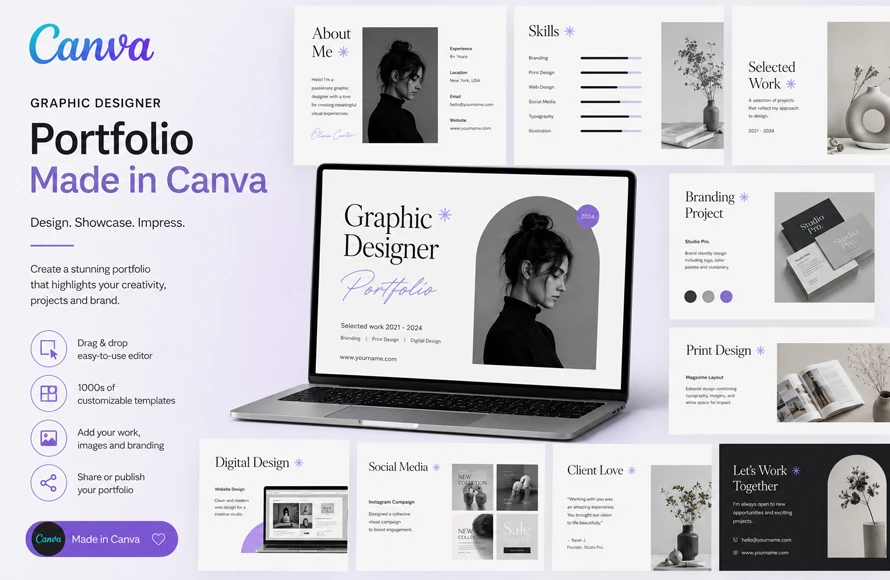
Canva is one of the easiest free online portfolio builders for designers who do not want to learn code. You drag and drop your designs onto a page, pick a layout, and publish a website link in minutes. It works well for quick portfolios or for sharing single projects with clients fast.
The free plan covers most basic needs. You get templates made for designers, simple branding tools, and the option to add your logo and color scheme across pages. Canva is not built only for portfolios, so the website features are simple compared to dedicated portfolio builders, but for beginners it gets the job done without cost.
2. Behance

Behance is run by Adobe and is one of the most used platforms among graphic designers for showing finished projects. Unlike a personal website, Behance works more like a community gallery. Other designers, recruiters, and studios browse it daily looking for talent.
The upload process is built for case studies. You can show full project breakdowns with images, process shots, and final results. It connects directly with Adobe Creative Cloud, so files from Photoshop or Illustrator move over with less hassle. As a portfolio builder it is free, but it lacks custom domain options unless paired with Adobe Portfolio.
3. Adobe Portfolio

If you already pay for Adobe Creative Cloud, Adobe Portfolio is included at no extra cost. It lets you build a clean personal website and link it with your Behance projects, so updates show on both places at once.
The templates are simple and focused on images, which suits graphic design work where visuals need space to breathe. You can connect a custom domain name too. The downside is that it depends on an active Creative Cloud subscription, so if you cancel Adobe, your site may stop working.
4. Wix

Wix gives designers more control over layout and design choices compared to most portfolio builders. With Wix, you can build a portfolio page by page, add animations, and create a full website with a blog, store, or contact forms attached.
The AI website builder option inside Wix can generate a starting layout based on a few questions about your work, which saves time if you are not sure where to start. Free plans come with Wix branding and a subdomain, so a paid plan is usually needed for a professional look with your own domain name.
5. Squarespace

Squarespace is known for templates that look polished without much editing. Many photographers and designers use Squarespace because the image-heavy templates display large visuals well, which matters for showing off graphic design work like posters, branding, and packaging.
There is no free plan, but there is usually a trial period to test the platform before paying. Pricing is higher than some competitors, but the templates need less adjusting to look professional. If your goal is build your portfolio online with minimal design work on the site itself, Squarespace removes a lot of guesswork.
6. Format

Format was built specifically for photographers and visual artists, which makes it a strong choice for graphic designers too. The templates are made to highlight images first, with text and navigation kept out of the way.
It includes client proofing tools, which helps if you work with clients who need to review and approve designs through the site itself. Pricing starts with a free trial, then moves to paid tiers. The store feature also lets designers sell prints or templates directly from their portfolio page.
7. Dribbble

Dribbble works similar to Behance but with a stronger focus on shots, meaning single images or short previews of work rather than full case studies. It is popular among UI designers, illustrators, and branding designers who want quick feedback and visibility.
Free accounts can upload work and build a basic profile page that acts as a portfolio link. Paid Pro accounts unlock more uploads, analytics on who views your work, and the ability to apply for jobs posted on the platform. Many studios browse Dribbble when hiring, so an active profile can lead to direct work offers.
8. Pixpa

Pixpa is built around portfolios first, unlike general website builders that add portfolio features later. It includes templates made for designers, photographers, and artists, along with built in client galleries for sharing private project previews.
The pricing is lower than Squarespace or Wix while still offering a custom domain, blog section, and store. For designers who want something between a free basic builder and a full paid website platform, Pixpa sits in a useful middle spot. The learning curve is small, so most people can set up a working site in a single afternoon.
9. Carbonmade

Carbonmade has been around for years and is built only for portfolios, nothing else. The free plan allows a small number of projects, which works fine for students or designers just starting out who do not have a large body of work yet.
The templates are simple grids that focus on thumbnails, letting visitors click through to see full projects. It does not try to be a full website builder with blogs or stores, which keeps it lightweight and fast to load. For a no frills portfolio, it remains one of the simplest options available.
10. Cargo

Cargo is popular with designers who want more creative freedom in layout, including grid based and freeform page designs. It gives access to code editing for those who want to tweak details, while still offering ready made templates for those who do not.
Cargo offers a free plan for students with a valid student email, and paid plans for everyone else. The aesthetic leans toward art and design studios rather than corporate portfolios, so it suits designers whose work itself is experimental or unconventional in style.
Which Portfolio Builders Have the Best AI Features?
AI trends are changing how portfolios get built and updated. Many builders now offer AI layout suggestions, automatic image cropping, and writing help for project descriptions. Instead of starting from a blank page, designers can answer a few questions and get a working draft of their site within minutes.
Looking ahead to AI in 2027, expect more portfolio builders to add AI tools that organize projects automatically based on style, color, or project type. Some platforms are also testing AI that suggests which projects to feature based on what type of client or job a designer is targeting, which could change how designers present their work entirely.
For now, AI features should be treated as a starting point, not a replacement for personal choices. A portfolio still needs a human eye to pick the strongest work and present it in a way that matches the designer’s actual style and goals.
Comparison Table of Top Portfolio Builders
Here is a quick side by side look at the main features across the top portfolio builders for graphic designers in 2026.
| Platform | Free Plan | Custom Domain | Best For | AI Tools |
| Canva | Yes | Paid only | Beginners | Yes |
| Behance | Yes | No | Community visibility | Limited |
| Adobe Portfolio | With Creative Cloud | Yes | Adobe users | Limited |
| Wix | Yes | Paid only | Full websites | Yes |
| Squarespace | Trial only | Yes | Polished templates | Limited |
| Format | Trial only | Yes | Photographers and visual artists | Limited |
| Dribbble | Yes | No | UI and branding designers | No |
| Pixpa | Trial only | Yes | Affordable full sites | Limited |
| Carbonmade | Yes | Paid only | Students and beginners | No |
| Cargo | Students only | Yes | Creative or experimental sites | No |
How to Pick the Right Portfolio Builder

Start by thinking about what kind of work you do. A UI designer might lean toward Dribbble or Behance for visibility, while a branding designer might want a full personal site through Squarespace or Cargo. Match the platform to where your future clients are likely to look.
Budget matters too. Free options like Canva, Behance, Carbonmade, and Wix free plans work for getting started, but a custom domain almost always needs a paid plan. If money is tight, start free and upgrade once you land paying clients.
Which Portfolio Builder Should You Choose?
There is no single best portfolio builder for every graphic designer. The right pick depends on your work style, your budget, and how much control you want over the design of your own site. Testing two or three platforms with a small set of projects before committing fully is a good way to see which one fits your work and your workflow best.
Whatever platform you choose, keep your portfolio updated with your strongest and most recent work. A portfolio with old or unrelated projects can hurt more than help, no matter how good the builder itself looks.
Most graphic designers building a portfolio in 2026 are juggling more than one platform. A common setup is using Behance or Dribbble for visibility within the design community, while also running a personal site through Squarespace, Wix, or Cargo for client facing work. Splitting tasks this way means recruiters can find your work on community platforms, while clients see a more focused presentation on your own site.
Mobile viewing is another point worth checking before settling on a builder. Many clients open portfolio links on their phones first. Templates that look great on a desktop screen sometimes break down on smaller screens, with images stacking awkwardly or text becoming too small to read. Most major builders listed here handle mobile layouts automatically, but it is worth previewing your site on a phone before sharing the link with anyone.
Loading speed also affects how a portfolio gets received. Heavy image files slow pages down, and a slow loading portfolio can lose a visitor before they even see your first project. Builders like Carbonmade and Format tend to load fast because of their simple layouts, while builders with more animation and interactive elements, such as Wix, may load slower if too many heavy files are added.
Updating your portfolio regularly matters more than picking the perfect platform on day one. A portfolio with five strong, recent projects beats one with twenty older projects that no longer reflect your current skill level. Set a reminder every few months to swap out weaker pieces and add new work, regardless of which builder you choose.
Graphic designers also worry about how much time it takes to maintain a portfolio alongside actual client work. The good news is most of these builders are designed for quick edits. Swapping out a project image, updating a project title, or rewriting a short description usually takes only a few minutes once your site structure is already set up. The bigger time investment happens during the initial setup, not in ongoing maintenance.
Pricing across these platforms changes often, so it helps to check current rates directly on each website before deciding. Free plans are a good way to test a builder before committing to a paid tier. Many designers start on a free plan, build out their first version of a portfolio, then upgrade once they land paying work and can justify the monthly cost.
Frequently Asked Questions
What is the best portfolio builder for graphic designers?
The best portfolio builder depends on your goals. Wix offers the most customization, Squarespace provides premium templates, Adobe Portfolio is ideal for Creative Cloud subscribers, Behance is excellent for networking and exposure, and Canva is a great free option for beginners.
Can I create a graphic design portfolio for free?
Yes. Several platforms let you build a portfolio at no cost, including Canva, Behance, Dribbble, Wix, and Carbonmade. However, free plans often include platform branding and a subdomain. Upgrading to a paid plan allows you to connect a custom domain and unlock additional features.
Which portfolio builder is best for beginners?
Canva is one of the easiest portfolio builders for beginners because of its drag-and-drop interface and ready-made templates. If you need more customization as your portfolio grows, Wix is another beginner-friendly option with advanced design tools.
Is Behance better than having a personal portfolio website?
Behance is excellent for gaining visibility within the design community, but it should not replace a personal portfolio website. A personal site gives you complete control over branding, content, and your domain name. Many designers use Behance for exposure while maintaining a dedicated portfolio website for clients.
Which portfolio builder offers the best SEO features?
Wix and Squarespace provide some of the strongest SEO tools among portfolio builders. They allow you to customize page titles, meta descriptions, image alt text, URLs, redirects, and sitemap settings, making them better suited for attracting traffic from search engines.
Do I need coding skills to build a portfolio website?
No. Most modern portfolio builders, including Canva, Wix, Squarespace, Pixpa, and Adobe Portfolio, use drag-and-drop editors or visual templates that require no coding experience. Advanced users can still customize designs with CSS or HTML on platforms that support it.
What should every graphic design portfolio include?
A strong portfolio should feature your best work, detailed project descriptions, an About page, your services, testimonials, contact information, and links to your social media or professional profiles. Focus on showcasing quality rather than the number of projects.
How many projects should I include in my portfolio?
Most designers benefit from displaying 8–15 high-quality projects. It’s better to showcase a smaller collection of your strongest work than to include many average or outdated projects. Regularly update your portfolio as your skills and experience improve.
Can I sell digital products through my portfolio website?
Yes. Platforms such as Wix, Squarespace, Pixpa, and Format include eCommerce features that let you sell digital downloads, templates, artwork, prints, and design services directly from your portfolio website.
How often should I update my portfolio?
Update your portfolio every few months or whenever you complete a significant project. Keeping your portfolio current shows potential clients and employers that your skills are active and reflects your latest design style and experience.
Which portfolio builder is best for freelance graphic designers?
Freelance designers often prefer Wix or Squarespace because they support custom domains, contact forms, blogs, SEO tools, and online payments. Pairing a personal website with a Behance or Dribbble profile can also help attract new clients and increase visibility.
Are AI-powered portfolio builders worth using?
AI features can save time by generating layouts, suggesting designs, and helping write project descriptions. However, they should be treated as a starting point. The best portfolios still require careful project selection, thoughtful storytelling, and personal branding to stand out from competitors.
(Visited 76 times, 19 visits today)